Short answer
Put a microphone on the teacher, bring the slides in as their own source instead of pointing a camera at the projection, and place one camera at the back of the room, centered, framing the area where the teacher walks. A second camera on a closer shot is the first upgrade. Leave the setup fixed in the room, so that a class starts with two or three actions and without a technician.

On this page
What the remote student needs
| Priority | What it takes | What goes wrong without it |
|---|---|---|
| Hear the teacher | A microphone on the teacher's body | The camera microphone at the back records the room, the air conditioning and the echo |
| Read the content | Slides as a direct source; the board framed large | A filmed projection is washed out and unreadable on a phone |
| See the teacher | A stable shot of the teaching area | The class becomes narrated slides and attention drops |
Spend in that order. A class with clear sound and readable slides works with one simple camera. A class with a great picture and bad sound does not work.
Where the camera goes
Place the main camera at the back or in the middle of the room, on the center line, a little above the heads of the seated students. From there the camera sees the teacher from the front and nobody walks through the shot. Frame the area the teacher really uses, from the lectern to the far edge of the board, and leave the shot fixed. A fixed shot that always contains the teacher is better than a camera that chases the teacher late.
With a second camera, use a closer shot of the teacher at the lectern, and cut to it when nothing is being written or shown. A third camera facing the room shows who is asking a question. The reasoning for each added camera is in how many cameras to use.
The board and the slides
Slides arrive in the stream as their own source: from the video output of the teacher's computer into a capture card, over the network, or as exported images. The three ways and the layouts that combine the slide with the teacher are in webinar with slides and camera.
A board needs more care than slides:
- Give the board its own shot, with the board filling the frame, when the class is written by hand.
- Light the board evenly and check for glare. A glossy whiteboard reflects ceiling lamps exactly where the teacher writes.
- Lock the exposure and the white balance of the camera. On automatic, a white board makes the camera darken the whole picture, teacher included.
- Ask the teacher to write large, with a thick marker in a dark color, and to step aside after writing.
Sound: the teacher and the questions
A wireless lavalier or headset microphone on the teacher keeps the voice at the same distance while the teacher walks and turns to the board. A microphone on the lectern only works for a teacher who stays at the lectern. Types and placement are in wireless microphones.
Questions from the room are the part that fails most. There are two ways that work: a handheld microphone that is passed to whoever asks, or the habit of the teacher repeating each question before answering. If the computer plays videos with sound, that sound needs its own path into the mix, tested before the first class.
A room that is ready every day
- Fix the camera on a wall or ceiling mount, or mark the tripod position on the floor.
- Leave the cables connected and labeled. Most failed classes start with a cable that someone borrowed.
- Use wired internet for the computer that streams.
- Write a one-page start routine: turn on, check picture, check the sound in headphones, start recording, start the stream.
- Record every class, even when the class is live. The recording is what students watch again before the exam.
- Follow the policy of the institution on recording students, and tell the room that the class is being recorded.
A class in NWK Live Production
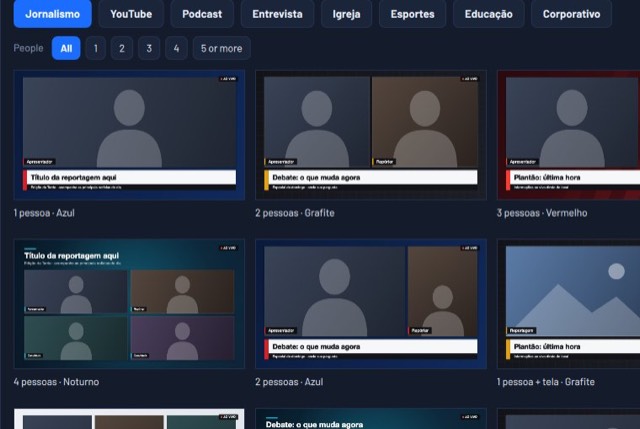
In NWK, the camera, the capture card with the slides and an NDI® source from another computer are inputs of the same project, and the ready-made templates include an Education category. NWK saves the session on its own and reopens it as it was left, so the setup made once for the room is there at the next class. See NWK reopens the way you left it.
For the voice, each mixer channel has an automatic level (AGC), which helps with a speaker who is sometimes close to the microphone and sometimes far, and a noise reduction that removes hiss, fans and air conditioning. See automatic level and noise reduction.
When the class happens inside a meeting, NWK sends the Program to Zoom, Microsoft Teams or Google Meet: the sound through a virtual microphone and the picture through NDI. NWK runs on Mac with Apple Silicon and is sold by subscription, with a 7-day free trial; see the pricing page.
Related questions
How many cameras does a lecture need?
One fixed camera at the back of the room is enough when the slides arrive as their own source and the teacher wears a microphone. A second camera on a closer shot of the teacher makes the class easier to watch. A third camera is only needed to show the students who ask questions.
Can I just point the camera at the projector screen?
A camera pointed at a projection gives a washed-out image with low contrast, and small text becomes unreadable after the platform compresses the video. Take the slides from the computer that shows them, through a capture card or the network, and keep the camera for the teacher.
Which microphone is best for a teacher who walks around?
A wireless lavalier or headset microphone, worn by the teacher, keeps the voice at a constant level anywhere in the room. A headset stays at the same distance from the mouth when the teacher turns to the board, which a lavalier does not always do. Check the batteries before every class.
In the NWK help center
- Add a camera or capture card
- Automatic level and noise reduction
- NWK reopens the way you left it
- Use NWK in Zoom, Teams and Meet
- Record the Program
Written and reviewed by the NWK Live Production team (Setor 360 Tecnologia e Eventos Ltda). Published .
NWK combines cameras, slides and the audio mixer in one program for Mac, and reopens the session of the room as it was left.
Try NWK free for 7 days