A TV channel on air 24 hours a day, 365 days a year.
NWK's Scheduling Player plays your schedule like a station: videos, images, stingers and live cameras, right on time. And you build tomorrow's schedule while today's is on air.
Build the schedule while it plays
What's on air never stops
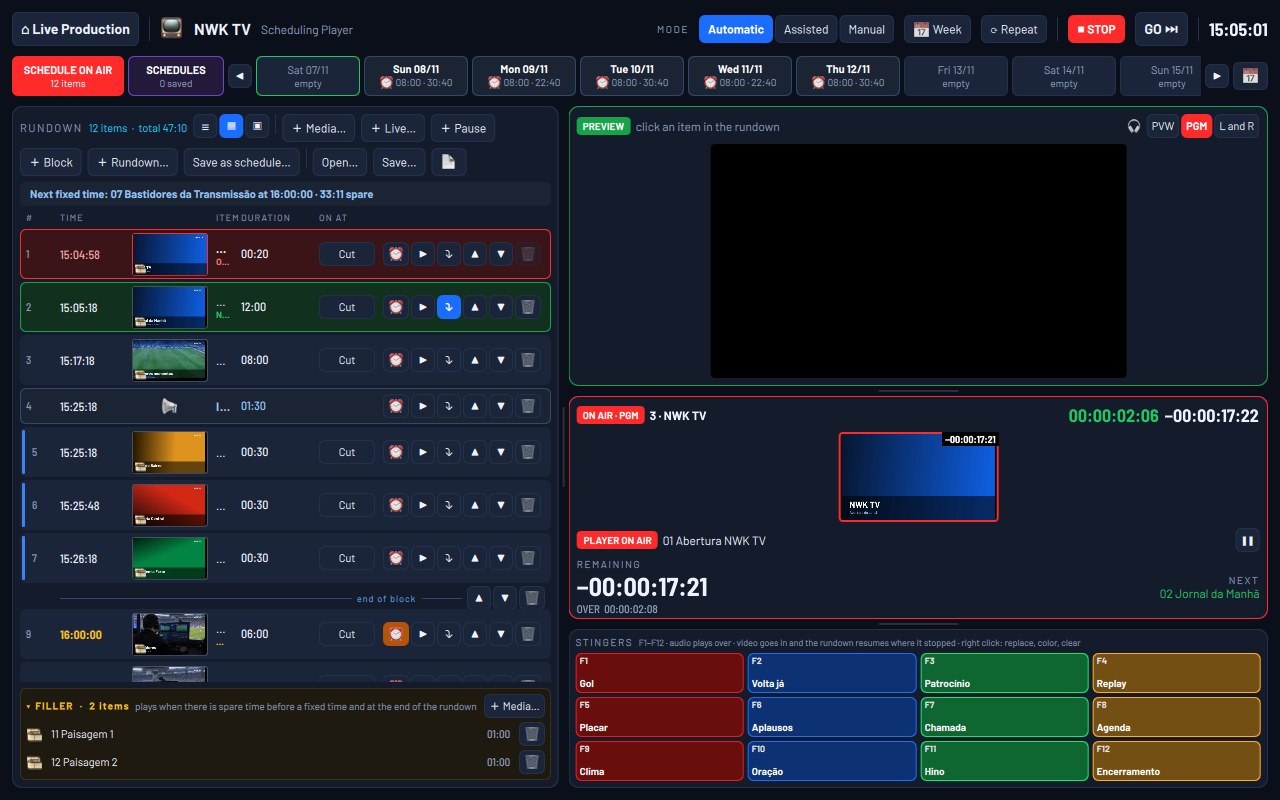
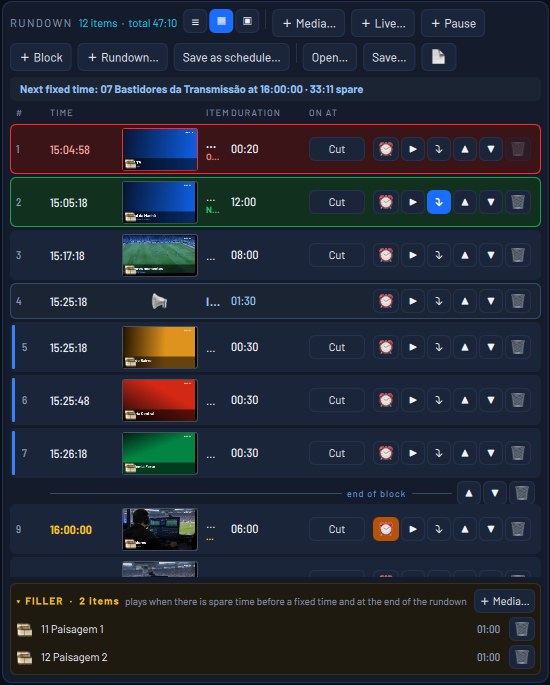
Drag videos and images from your computer into the schedule, reorder them and set each item's in and out points. Meanwhile, what's on air keeps going: the preview plays only in your headphones. Other days' schedules are built without touching what is playing.

Automatic, Assisted or Manual
You decide how much the channel runs itself
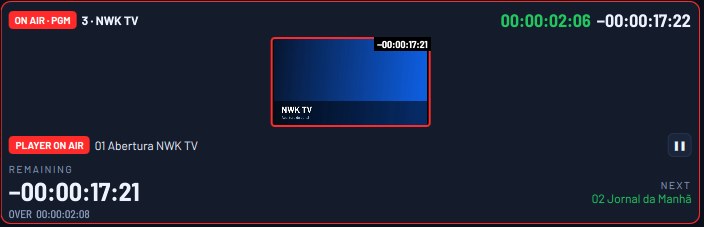
In Automatic, the schedule moves from one item to the next on its own. In Assisted, it stops at the end of each item and waits for GO. In Manual, it only moves when you press GO. With Repeat on, at the end of the schedule it goes back to the first item and the channel never goes off air.

Fixed times, no gaps
The news starts at 12:00 sharp
Any item can have a fixed time: it cuts whatever is on air and starts on the dot, or waits for the current item to finish. If there is time to spare before it, the filler plays, with stingers, loops and your station artwork. Without filler, the picture holds on the last frame, never a black screen.
The whole week scheduled
Build it once, use it on as many days as you like
Each day has its own schedule. Save undated schedules and place them on as many days as you like, and set the weekly schedule to open the right one by itself, for example Monday to Friday at 06:00. At that time it becomes the schedule on air and starts playing.

Stingers on F1 to F12
One key and it's on air
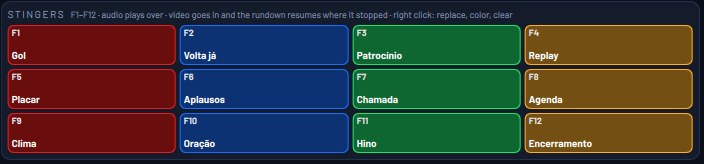
Twelve keys for stingers, music beds and promos. Audio plays over what is on air; video or images go on air and, when they end, the schedule picks up where it left off.