Short answer
Most live events are well covered with two or three cameras: a wide shot that always works and one or two closer shots. Add a camera only when there is something the audience needs to see that the cameras you have cannot show, and when someone can frame and watch that camera. A camera nobody looks after rarely goes on air.

On this page
How to decide
Start with the wide camera. A fixed wide shot of the whole scene is the safe picture: it can stay on air while every other camera moves, and it needs no operator. The second camera is the close shot of whoever is speaking or playing. With these two, the operator already has somewhere to go at any moment.
From the third camera on, each camera needs a reason: a second person, a second place, a detail such as hands on an instrument, the audience. If you cannot say what a camera is for, leave it at home.
A starting point for each kind of event
The numbers below are recommendations to start from, not rules.
| Event | Cameras | What each one does |
|---|---|---|
| Talk, class or sermon with one speaker | 2 | Wide of the stage; close on the speaker. Slides come in as a separate source, not as a camera pointed at the screen |
| Interview or podcast with two people | 2 or 3 | One on each person; a wide of both when there is a third |
| Panel or debate | 3 | Wide of the table; close on the moderator; one that moves to whoever speaks |
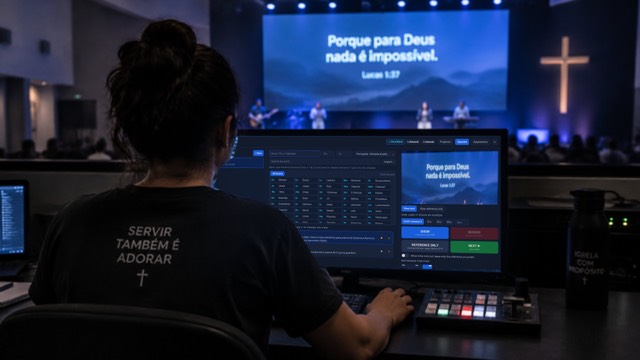
| Religious service with music | 3 | Wide; close on the pulpit; side angle for the band |
| Concert or band | 3 or 4 | Wide; close on the singer; one or two for instruments and the audience |
| Amateur sports | 1 to 3 | High at the middle of the field following the play; then a close camera; then one behind a goal or the scoreboard |
| Wedding or ceremony | 2 or 3 | Wide from the back; close from the side; one on the guests or the musicians |
A service with three cameras is described step by step in the three-camera church stream. Where to put each camera is in camera placement.
What each extra camera costs
- Attention. One person can cut between two or three pictures and still listen to the event. With more, cameras stay unused or the cuts come late.
- An operator. A camera that follows a person needs someone on it. Fixed cameras do not.
- A path to the computer. One cable and one capture device for each camera, each with its own port. Several capture devices on one hub share the bandwidth of that hub; see USB hubs and bandwidth.
- Processing. Each open camera is more work for the computer, on air or not.
- Matching. Each camera has to agree with the others in color, exposure and frame rate.
- Setup time. More tripods, more cables across the floor, more to check before the doors open.
With one or two people
With one person, use two fixed cameras and cut little: stay on the close shot, go to the wide shot when the speaker moves. With two people, one cuts and the other operates the camera that moves. Working alone has its own page: one-person live production.
Cameras in NWK Live Production
In NWK Live Production each camera or capture card is one input, added with + Add input. See add a camera or capture card.
The footer of the main screen shows the FPS going out, the Lost frames and the CPU and memory usage. If the Lost count goes up, the computer is overloaded; the help says to close other programs or use fewer inputs at the same time. See system requirements. Test the number of cameras you plan to use in a full rehearsal before the event.
When you record each camera with the MultiCorder, each camera is one more file being written at the same time. Use a fast disk and check the free space first.
Related questions
Can I do a multicamera stream with two cameras?
Yes. A wide shot and a close shot are enough to give the picture variety and to cover the moments when one camera needs to reframe. Many talks, classes and interviews need nothing more.
Is it better to have more cameras or better cameras?
For the same budget, two cameras that match each other and are well placed usually give a better program than four different cameras that do not match. Sound and light come before the third camera.
Does a camera pointed at the projection screen count as a slide camera?
It works, but the result is poor: the screen flickers or washes out on camera. Bring the slides into the switcher as a source of their own, from the presentation computer, and keep the cameras for people.
In the NWK help center
- Add a camera or capture card
- System requirements
- Record each camera to a separate file
- Get to know the main screen
Written and reviewed by the NWK Live Production team (Setor 360 Tecnologia e Eventos Ltda). Published .
NWK shows frames out, Lost frames, processor and memory on the main screen, so you can see whether the computer handles the cameras you connected.
Try NWK free for 7 days