Short answer
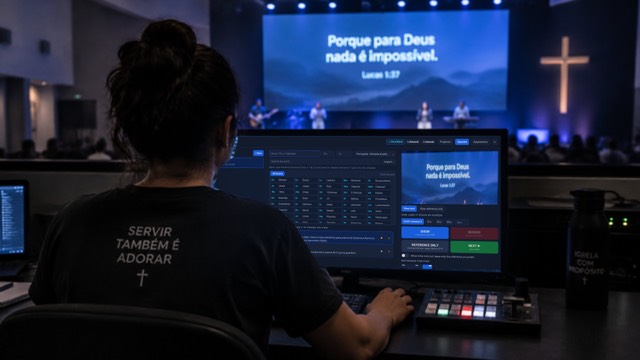
Put a wide camera at the back, centered and above the heads of the audience, and a close camera near it, zoomed in on whoever speaks. Put a third camera to the side, at 30 to 45 degrees. Keep all cameras on the same side of the action so that people do not change direction at each cut, and avoid windows and bright lights behind the subject.
On this page
Place the wide camera first
The wide camera shows the whole scene and is the shot the operator goes to when anything goes wrong with the others. Place it where nothing can block it: centered, at the back or on a balcony, with the lens above the heads of a standing audience. Lock the tripod and do not touch the camera again.
The close camera can stand beside the wide camera. From the same position, with the lens zoomed in, the close camera gives a second shot that cuts well with the wide shot, and one person can watch both.
Keep the cameras on one side of the action
Draw an imaginary line through the action: between the two people who talk to each other, or along the length of the field in a game. Keep every camera on the same side of that line. A camera on the other side shows the scene mirrored: the person who looked to the right now looks to the left, and the team that attacked to the right now attacks to the left. The audience loses track of where things are.
For a speaker facing the audience, the line runs across the stage, and all cameras stay on the audience side.
Height and angle
- Lens near eye height for people who speak. A camera much lower looks up the nose; a camera much higher makes the person look small.
- Side camera at 30 to 45 degrees from the wide camera. Too close to the wide camera, the cut looks like a jump of the same picture. At 90 degrees, the speaker appears in profile and seems to talk to nobody.
- Higher for sports. The main camera goes high at the middle of the field, so that players do not hide one another.
- Distance. The farther the camera, the more the zoom magnifies every vibration of the floor and of the tripod. Bring the close camera as near as the room allows.
Light and background
Before framing the subject, look at what is behind it. A window, a projection screen or a spotlight inside the frame makes the camera darken everything else, and the face turns into a silhouette. Move the camera until the bright source is out of the frame, or expose for the face by hand.
The light should come from the side of the cameras, toward the faces. Cameras in different positions see different light, which is one reason the same person looks different on each camera; how to bring the pictures together is in matching color between cameras.
What to check in the venue
- Sit and stand in the audience area. People who stand up in front of the camera during the event are the most common obstruction.
- Follow the path of each cable to the computer. Keep cables out of aisles or tape them down, and check that the length is within what the cable type supports.
- Find a power outlet for each camera. Do not rely on batteries for a long event.
- Keep tripods off platforms and wooden floors that shake when people walk.
- Ask where the speaker will really stand and walk, and frame for that.
Fine-tuning the frame in NWK Live Production
In NWK Live Production the gear ⚙ on the thumbnail of an input has the Position and zoom tab, with Zoom from 10 % to 400 % and Horizontal and Vertical to move the picture, and the Crop tab, which cuts the edges up to 45 % on each side. These controls correct a frame that is slightly off without touching the camera. Zoom above 100 % enlarges the pixels the camera sent, so the picture loses sharpness; use it for small corrections. See color, position, zoom and crop.
At the top of Preview or Program, ▣ Guides shows Safe areas, a Center mark and format guides such as 9:16, to check how a frame holds in vertical. The guides appear only on the screens of the program and do not go out on the stream. See guides, safe areas and scopes.
Related questions
Where should the main camera go in a church or auditorium?
At the back, on the center line, with the lens above the heads of the audience when people stand. From there the camera sees the whole stage and nobody blocks it.
What is the 180-degree rule?
It is the practice of keeping all cameras on the same side of an imaginary line drawn through the action. It keeps people and movement facing the same direction from one shot to the next.
How far apart should two cameras be?
Far enough for the two pictures to look clearly different. Two cameras side by side work when one is wide and the other is close. Two cameras with similar framing need to be about 30 degrees apart or more.
In the NWK help center
- Adjust an input's color, position, zoom and crop
- Format guides, safe areas and scopes
- Add a camera or capture card
Written and reviewed by the NWK Live Production team (Setor 360 Tecnologia e Eventos Ltda). Published .
NWK has zoom, position and crop on each input, and safe-area and format guides on Preview and Program.
Try NWK free for 7 days