Short answer
Picture-in-picture shows one source in a small window on top of another source that fills the screen. Split screen divides the screen between two or more sources. Use picture-in-picture when one source is the main content and the other accompanies it, such as slides with the speaker in a corner. Use split screen when the sources have the same weight, such as an interview between two places.
On this page
The difference and when to use each
| Picture-in-picture | Split screen | |
|---|---|---|
| Layout | One source fills the screen, the other sits in a small window | The screen is divided into boxes of similar size |
| Hierarchy | One main source, one companion | Sources of the same weight |
| Typical use | Slides or a screen with the speaker, a game with the commentator, sign language interpreter | Interview or debate between people in different places, panel of guests |
| Main risk | The window covers something important | Faces become too small |
Both layouts answer the same problem: the viewer needs two things at the same moment, and cutting between them would hide one. If the viewer needs only one thing at a time, cut instead.
Composing a picture-in-picture
- Place the window in a corner that the main source leaves free. Check slides, scoreboards and titles before choosing the corner.
- Leave a margin between the window and the edge of the screen.
- Frame the person tighter than you would in full screen. A wide shot inside a small window shows nobody.
- Crop the sides of the camera to change the shape of the window. Do not stretch or squeeze the picture.
- Keep the window in the same place for the whole event.
Composing a split screen
- Give the people the same size and the same eye height in every box.
- Turn each person slightly toward the center, so that the two appear to look at each other.
- Use a background behind the boxes instead of black, and the same margin between them.
- Count the viewers on phones. Each box added makes every face smaller.
- Match color and exposure between the cameras, because the two pictures are side by side and any difference shows.
Audio when two sources are on screen
The viewer expects to hear everyone who is visible. Keep open the microphones of all the people on screen, not only the microphone of the largest window. A remote guest needs a return mix without the guest's own voice, or the guest hears an echo. That return mix is explained in mix-minus.
Both layouts in NWK Live Production
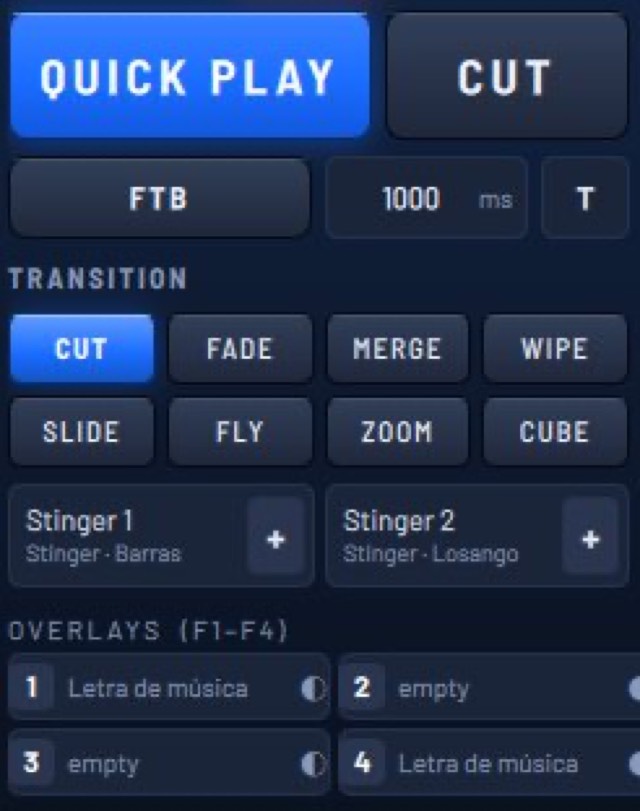
Picture-in-picture as an overlay. In NWK Live Production, crop, zoom and position applied to a camera used as an overlay make a small window on top of Program. The zoom goes from 10% to 400% and the crop goes up to 45% on each side. An overlay stays on top of Program when you cut, so the window remains while the main picture changes. See color, position, zoom and crop and overlays.
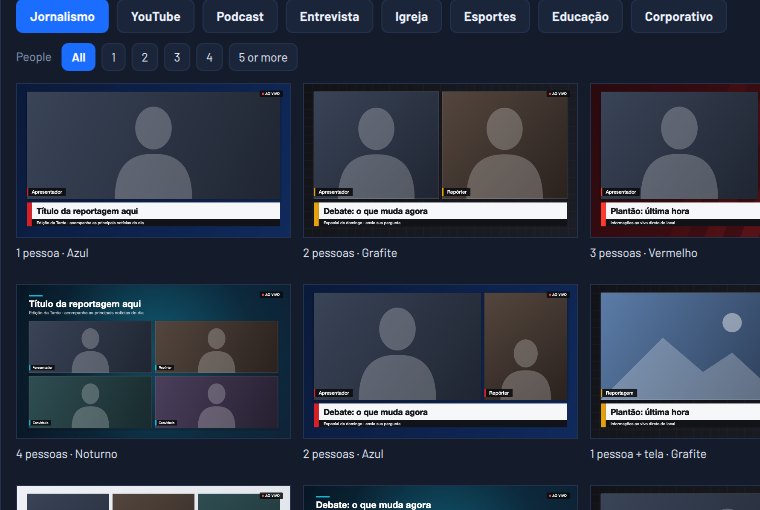
Split screen as a template. A template is an input with slots. The ready-made templates are organized by subject and can be filtered by the number of people; in each slot you choose the camera, the CALL guest or the media that appears there. In the editor you move, resize and crop each item and choose the background. A template works like any other input: in Preview, in Program, in overlays and in transitions. See ready-made templates and editing a template.
Common mistakes
- A window on top of the title of the slide or of the scoreboard.
- Leaving the picture-in-picture on when the person in the window has left.
- People of different sizes in a split screen, one in a close shot and the other far away.
- Two people looking toward the outer edges, away from each other.
- Opening only one microphone when two people are visible.
Related questions
Which corner should the picture-in-picture window use?
The corner that the main source leaves free. Slides usually have titles at the top and logos at the bottom; a scoreboard usually sits at the top. Check the real content first and keep the window in the same corner during the whole event.
How many people fit in a split screen?
Two people side by side remain readable on any screen. With each box added, the faces become smaller, which matters to viewers on phones. With many participants, show the group for a moment and go back to the person who is speaking.
Can a remote guest be in a split screen?
Yes. The remote guest is one more source in a box. Send the guest a return mix without the guest's own voice, so the guest does not hear an echo.
In the NWK help center
- Adjust an input's color, position, zoom and crop
- Overlays F1 to F4
- Start with a ready-made template
- Edit a template
- Build a template from scratch
Written and reviewed by the NWK Live Production team (Setor 360 Tecnologia e Eventos Ltda). Published .
NWK makes picture-in-picture with overlays and split screens with ready-made templates.
Try NWK free for 7 days