
Short answer
To set up a mix-minus, create a second output in the mixer, send to it everything the guest needs to hear and leave out the guest's own channel. Send that output, and not the main mix, back to the call. Then test with the guest: they must hear the host, the videos and the music, and must not hear themselves. Each remote guest needs an output of their own.
On this page
Step by step
- Identify the channel through which the guest's voice arrives in the mixer.
- Turn on a second output of the mixer, separate from the main mix.
- Send to that output everything that goes on air, minus the guest's channel.
- Choose that output as the sound that returns to the call.
- Ask the guest to use headphones.
- Test: the guest speaks and confirms that they hear the studio and do not hear themselves.
- For a second guest, repeat with another output.
What you need before starting
A mix-minus has three parts: the channel where the guest arrives, a second output of the mixer, and a path that carries that output back to the guest. If any of the three is missing, the return ends up being the main mix, and the guest hears their own voice late. The reason for the echo and the origin of the name are in what mix-minus is; this page is the assembly.
Write down, for each guest, which channel they arrive on and which output returns to them. With two guests, that note prevents the most common mistake, which is sending both the same return.
Which case is yours
| How the guest arrives | What has to be built |
|---|---|
| By a browser link of the streaming program | Check whether the program already returns the sound without the guest's own voice. If it does, there is nothing to build. |
| By a meeting program | A second output without the call input, sent to the meeting as its microphone. |
| By telephone or an external device | A second output without the channel of that device, connected to the input of the device. |
| Two or more guests on separate channels | One output for each guest, each one without that guest's channel. |
Guests who are in the same meeting already hear one another inside the meeting. For them a single return without the call input is enough.
Mix-minus in NWK Live Production
Guest by link (CALL). The guest who enters through the CALL input gets back the Program and the studio sound without their own voice. There is nothing to set up. In the input settings you can change what the guest hears: the Master, or a channel just for them. See remote guest with CALL.
Guest in a meeting or on an external device. Use one of the outputs A to E with Master minus…:
- Open Settings, the Audio tab, and under AUDIO OUTPUTS turn on the switch of an output. Only the outputs that are on appear in the mixer.
- Check the Master minus… box on that output. It then carries everything that goes on air, minus the inputs you check.
- In the table, check the inputs that must not come back through this output, such as the input of the call itself.
- Choose where the output goes. For an external device, choose the device and the channels of the output. For a meeting, open the Zoom / Teams / Meet tab and choose that output as what the virtual microphone sends.
- In the meeting program, choose the “NWK Live Studio” microphone.
The virtual microphone is installed once, and the sound of the computer restarts for a few seconds during the installation, so do not install it on air. The steps are in outputs A–E and echo-free return and in send audio to Zoom, Teams and Meet.
A return with a different mix
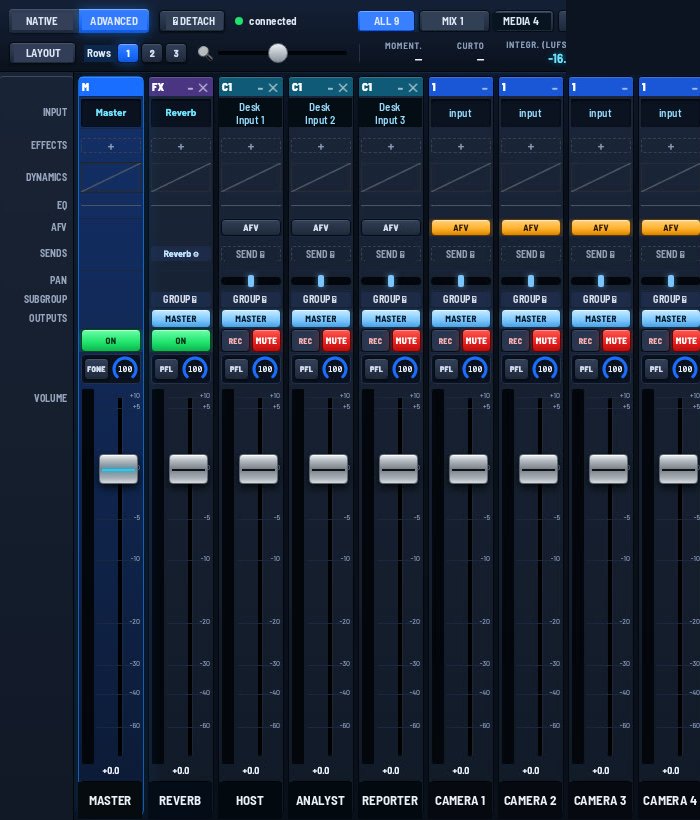
Master minus… follows what goes on air. When the guest needs something else, for example the host louder than the music, or a cue that the audience must not hear, build the output channel by channel: in the NWK mixer, each channel has the buttons A to E, and the lit ones define the outputs that channel goes to. The outputs appear in the Master tab of the mixer, with a fader and FX.
The outputs A to E do not go to the stream. The stream and the recording always get the Master.
Test before the guest goes on air
- Ask the guest to count out loud. They must not hear their own voice coming back.
- Speak into the host's microphone. The guest must hear it.
- Play a video or a piece of music. The guest must hear it too.
- Listen to the Master while the guest is silent and the host speaks. If the host's voice comes back with delay, the guest is on speakers; ask for headphones.
If the audience hears echo even with the mix-minus correct, the cause is on the guest's side or in a doubled path. The tests are in echo or doubled audio.
Common mistakes
- Sending the Master to the call because it is the easiest option to choose.
- Checking the wrong input in the table, so the guest hears themselves and does not hear someone else.
- Using one output for two guests who arrive on separate channels.
- Testing with the guest silent. The echo only appears when the guest speaks.
- Changing the return in the middle of the interview. Leave it set and tested.
Related questions
How do I set up mix-minus without a hardware mixer?
With a program whose mixer has more than one output. Send everything except the guest's channel to a second output, and deliver that output to the call. In NWK Live Production the second output is one of the outputs A to E with Master minus…, and the virtual microphone takes it to the meeting.
Do I need one mix-minus for each guest?
Yes, when each guest arrives on a channel of their own: each one gets an output without their own channel. Guests who are in the same meeting share one return without the call input, because they already hear one another in the meeting.
Does the guest who enters by link need a mix-minus?
The return has to be without the guest's voice in any case. With the CALL input of NWK Live Production the guest already gets the studio sound without their own voice, with nothing to set up.
In the NWK help center
- Outputs A–E and echo-free return
- Remote guest with CALL
- Send audio to Zoom, Teams and Meet
- Use NWK in Zoom, Teams or Meet
Written and reviewed by the NWK Live Production team (Setor 360 Tecnologia e Eventos Ltda). Published .
NWK has the outputs A to E with Master minus… and a guest link that already returns the sound without the guest's voice.
Try NWK free for 7 days
