Short answer
The simplest way to bring a remote guest into a live stream is a link that opens in the browser of the guest's phone or computer, with no program and no account. The guest allows the camera and the microphone, and the picture and voice arrive in the production program as one more source. In NWK Live Production this is the CALL input: you add the input, copy the link, send it, and the guest appears in a thumbnail that goes on air like any camera.

On this page
What makes a remote guest hard
A guest is rarely a technical person, and is often joining for the first and only time. Every step asked of the guest is a point where the interview can fail: download a program, create an account, find a meeting code, pick the right microphone. The fewer steps, the more guests arrive on time.
On the studio side there are two needs. The guest has to arrive as a separate source, so the picture can be framed, placed beside the host and switched like a camera. And the guest has to receive picture and sound back from the studio, to see what is on air and hear the questions.
The return: everything except the guest's own voice
The sound sent back to a remote guest cannot contain the guest's own voice. It travels to the studio and back over the internet, arrives late, and nobody can speak normally while hearing a delayed copy of themselves. The return mix without the listener's own voice is called mix-minus; what mix-minus is explains how one is built.
Headphones on the guest's side matter for the same reason. With loudspeakers, the guest's microphone picks up the studio sound and sends it back, and the audience hears an echo. The causes and the tests are in echo or doubled audio.
How NWK does it: the CALL input
In NWK you click Add input and choose CALL (browser guest). You name the input, for example Reporter or Guest 1, click Copy link and send the link by WhatsApp, email or any other way. The guest opens the link on a phone or a computer, allows the camera and the microphone, types a name and clicks Enter. Nothing is installed.
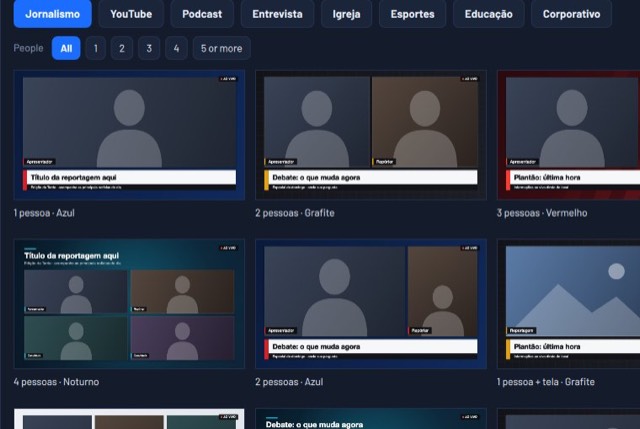
When the guest appears in the thumbnail, the input goes on air like any camera. It can also fill a slot of a ready-made template, next to the host. The steps are in remote guest with CALL.
What the guest sees and hears
The guest receives the Program and the studio sound without their own voice, so there is no echo. In the settings of the input you can change both: the guest can see the Program or another input, and can hear the Master or a channel made just for them.
On the guest's screen there are controls to switch camera and microphone, choose where to hear the studio, turn off the microphone or the camera, and leave. When the phone is held upright, the Fill 16:9 button sends the picture sideways, filling the frame.
For a guest who comes in through a meeting program instead of a link, the return is built with the outputs of the mixer; see outputs A–E and Master minus.
Before the guest goes on air
- Send the link ahead of time and ask the guest to open it once, on the device and the network that will be used on the day.
- Ask for headphones.
- Ask the guest to face a window or a lamp, not to have it behind them, and to prop the phone so it does not move.
- Before each event, open the settings of the input in NWK and check the link. If it changed, send the new one.
- If a link has reached someone who should not have it, use Generate new link. The previous link stops working.
- A guest on a company network or on mobile data may fail to connect. NWK has a setting for restricted networks in Settings, under CALL.
Related questions
Does the guest need to install a program or create an account?
No. With the CALL input of NWK the guest opens a link in the browser of a phone or computer, allows the camera and the microphone, types a name and enters.
Why does the remote guest hear an echo of their own voice?
Because the sound sent back to the guest contains the guest's own voice, which returns late. The return has to be a mix without that voice, called mix-minus. The CALL input of NWK already sends the studio sound without the guest's own voice.
Can the guest join from a phone held upright?
Yes. On the guest's screen of the CALL input, the Fill 16:9 button sends the picture sideways, filling the frame, when the phone is upright.
In the NWK help center
Written and reviewed by the NWK Live Production team (Setor 360 Tecnologia e Eventos Ltda). Published .
NWK brings a remote guest in by link, in the browser, as an input, with a return without the guest's own voice.
Try NWK free for 7 days