Short answer
Embedded audio is digital audio carried inside the video signal itself, so that one SDI or HDMI cable delivers picture and sound together. The camera or the player puts the audio into the signal, and the capture card, the monitor or the recorder takes the audio out at the other end. Because the audio travels with the picture, the two arrive in sync. The sound embedded by a camera is whatever the camera has on its audio channels, usually its own microphone, unless another source is plugged into the camera.

On this page
What embedded audio is
A digital video signal has more room than the visible picture uses. SDI and HDMI use part of that room to carry audio channels as data, between the lines and frames of the picture. The audio does not occupy a separate wire: it is part of the same stream.
Two devices have names that come from this. An embedder takes a video signal and a separate audio signal and puts the audio into the video. A de-embedder does the opposite and delivers the audio on its own connectors, for example to feed a console.
In SDI and in HDMI
| SDI | HDMI | |
|---|---|---|
| Where the audio goes | In the ancillary data space of the signal, beside the picture | In data packets sent in the intervals between the picture lines |
| Channels | Several channels, organized in groups; professional gear lets you choose the group and the pair | From stereo to multichannel, as negotiated between the two devices |
| Format | Uncompressed digital audio | Uncompressed digital audio or, from players, compressed surround formats |
The cables and limits of each connection are in NDI®, SDI or HDMI.
Where it appears in a live production
- Camera to capture card. The capture card delivers the picture to the computer and presents the embedded audio as an audio source that comes with the picture.
- Console audio through the camera. An output of the console plugged into the audio input of the camera is embedded by the camera and travels down the video cable, in sync with the picture.
- A computer as a source. A computer treats its HDMI output as a sound output device. The slides arrive with sound only if that HDMI output is chosen as the sound output of the computer.
Embedded audio or separate audio
Embedded audio stays in step with the picture because both go through the same path. Audio that reaches the computer by another path, such as an audio interface fed by the console, usually arrives before the picture, because the camera and the capture card take time to process the video. The fix is to delay the audio until the lips match. The method is in audio out of sync.
Most productions use the separate path for the main sound, because the console mix is better than the camera microphone, and keep the embedded audio of the cameras muted or as a backup.
Embedded audio in NWK Live Production
When you add a camera or capture card in NWK and the device has its own sound, the first option in Audio is From the card itself. That sound becomes a channel in the mixer. You can also choose another audio device or No audio, and change the choice later in the gear of the thumbnail. See add a camera or capture card.
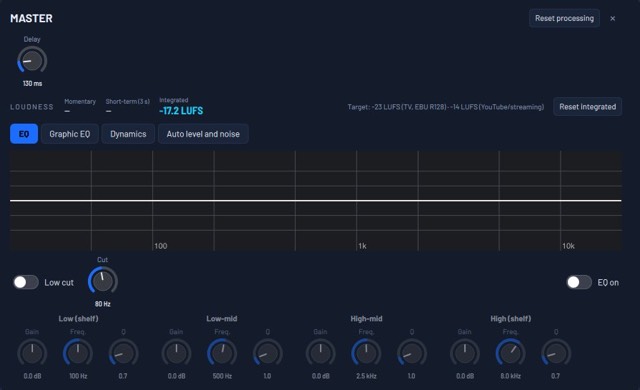
To line up audio that comes by a separate path, each channel has a Delay from 0 to 900 ms, also available on the Master. See adjust gain, pan and delay. The sound of an NDI source also comes in as a mixer channel.
Common confusions and problems
- Embedded does not mean worse. The audio inside SDI or HDMI is digital. The quality depends on what was fed into the camera, not on the embedding.
- Silence on the input. The camera may have its audio off or may be sending audio on a pair of channels that the receiver is not reading. Not every capture card delivers all the channels to the computer; check the manual.
- Double sound. When the embedded audio of the camera and the console channel are both open, the room is heard twice, with a small gap. Mute one of them. See echo or doubled audio.
Related questions
Does HDMI carry audio?
Yes. HDMI carries digital audio together with the picture on the same cable. Whether sound arrives depends on the source: a camera sends what is on its audio channels, and a computer sends sound only when the HDMI output is selected as its sound output.
How many audio channels fit in SDI?
SDI carries several audio channels, organized in groups. Cameras normally use the first pair, and professional equipment lets you choose which group and pair to send and to read. Check the manuals of the two devices, because the capture card may deliver fewer channels than the camera sends.
Should I use the camera's embedded audio or the console?
Use the console, through an audio interface or through the audio input of the camera, for the main sound. The camera microphone is far from the people speaking and picks up the room. Keep the embedded camera audio as a backup or for ambience.
In the NWK help center
- Add a camera or capture card
- Adjust gain, pan and delay
- Add a microphone or audio interface
- Add an NDI® source
Written and reviewed by the NWK Live Production team (Setor 360 Tecnologia e Eventos Ltda). Published .
NWK takes the sound of a camera or capture card as a mixer channel and has a delay on each channel to line it up with the picture.
Try NWK free for 7 days