
Short answer
Audio goes out of sync because sound and picture reach the program by different paths, and the picture's path is slower. A microphone on an audio interface arrives almost at once; a camera through a converter and a capture card arrives a few frames later. Measure the offset with a clap on camera and add that much delay to the audio. If the sync starts right and drifts during the stream, the cause is a clock or sample rate mismatch, not a fixed delay.
On this page
Why sound and picture separate
A camera processes each frame before sending it. A converter, a wireless video link, a capture card and the computer each add a little more time. A microphone connected to an audio interface or a sound desk skips all of that. The result is the most common case in live production: the voice is heard before the lips move.
The opposite case, sound after the picture, is less common. It comes from heavy audio processing, a wireless or Bluetooth audio link, or audio that arrives over a network while the camera is connected directly.
Find out where the offset is
| What you see | Likely cause | What to do |
|---|---|---|
| Sound before the lips, always by the same amount | The video path is slower than the microphone path | Add delay to the audio |
| Sound after the lips, always by the same amount | Processing or a wireless link in the audio path | Remove the slow step in the audio, or take the audio from the camera |
| In sync on one camera and out on another | The cameras have different delays | Use the same model and the same kind of connection, or set the delay for the main camera |
| Starts in sync and gets worse with time | Devices with different clocks or sample rates | See the section on drift below |
| Out of sync only for you while monitoring | Bluetooth headphones or a television with its own delay | Judge sync on wired headphones or on a local recording |
Record a minute locally before changing anything. If the recording is in sync and the stream is not, the problem is after your computer: test the stream on a second device before you touch the settings.
Measure the offset with a clap
- Point the camera at a person and have that person clap once, hands in frame, near the microphone you use on air.
- Record a few seconds in the program, with that camera and that microphone.
- Open the recording in a video editor and find the frame where the hands meet and the point where the clap appears in the waveform.
- The distance between the two is the offset. At 30 frames per second each frame lasts about 33 ms; at 60, about 17 ms.
Measuring is faster than adjusting by ear, and it tells you the direction of the error.
Correct a fixed offset
- Sound early: add the measured delay to the microphone channel, or to the main mix when every sound source is early by the same amount.
- Sound late: audio cannot be moved earlier. Take out the step that delays it, or use the sound that comes in with the camera, which travels with the picture.
- Several cameras: a single audio delay only matches one video delay. Keep the cameras on the same kind of path.
- Check again after changing a converter, a cable type or the project's frame rate.
When sync drifts during the stream
A delay that grows over an hour is a different problem. Each digital audio device counts time with its own clock. When the audio interface, the camera and the computer do not agree on the sample rate, or when a device changes its rate on its own, the sound slowly slides against the picture.
- Set every audio device to the same sample rate. See sample rate and bit depth.
- Some webcams lower their frame rate in low light, which changes their delay. Add light or fix the exposure.
- A computer that drops frames also loses sync. See choppy video.
Audio delay in NWK Live Production
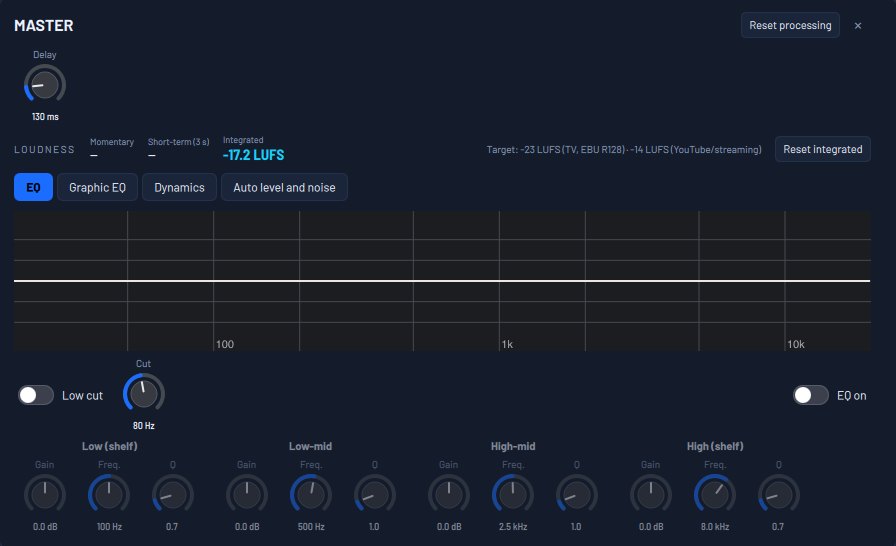
In NWK, each channel has a Delay control in the FX window, from 0 to 900 ms. It is available on the inputs and on the Master, and the change is heard at once, even on air. See gain, pan and delay.
When you add a camera or a capture card, the Audio field lets you use the sound of the card itself, another audio device or no audio. See add a camera or capture card. On Mac, Audio Unit plugins add 10 ms of delay to the channel that uses them.
Related questions
Why does the sound come before the picture on my stream?
Because video takes longer to process than audio. The camera, the converter and the capture card each hold the picture for a moment, while a microphone on an audio interface arrives almost at once. Delay the audio by the measured difference.
Can I fix audio that arrives after the picture?
Not with an audio delay, because a delay can only hold sound back. Remove what slows the audio down, such as a wireless link or heavy processing, or use the audio that comes in with the camera.
Why does the sync get worse the longer I stream?
A growing offset comes from devices that run at different sample rates or on different clocks, or from a computer that is dropping frames. Set one sample rate on every device and check the load on the computer.
In the NWK help center
Written and reviewed by the NWK Live Production team (Setor 360 Tecnologia e Eventos Ltda). Published .
NWK has an audio delay from 0 to 900 ms on every input and on the Master.
Try NWK free for 7 days


