Short answer
Distorted audio and crackling audio are different faults. Distortion gets worse when the sound gets louder: a stage of the chain is receiving more level than it can handle, and the fix is to lower the gain at that stage. Crackles, pops and tiny gaps that come at random, even in quiet passages, are caused by mismatched sample rates, an overloaded computer, a weak USB connection or a bad cable.
On this page
Tell the two faults apart
| What you hear | When | Likely cause |
|---|---|---|
| Harsh, broken sound on loud words | Only in the loud moments | Clipping: too much level at one stage |
| Clicks and pops at a steady pace | All the time, also in silence | Devices at different sample rates or on different clocks |
| Pops and short gaps at random | Worse when the computer is busy | Overloaded computer or USB problem |
| Crackle when someone moves | When a cable or a microphone is touched | Bad cable or connector, or a wireless link losing signal |
| Watery, metallic sound, cymbals that swirl | All the time, only on the stream | Audio bitrate too low in the encoder |
Make a local recording and compare it with the stream. A fault that is in both is before the encoder. A fault that is only on the stream is in the encoding or after it.
Distortion: too much level
Every stage has a ceiling: the microphone preamp, the output of the sound desk, the input of the interface, the mixer inside the program. A signal that passes the ceiling has its peaks cut off. The cut sounds harsh, and no later control restores it. Lowering the fader after the stage that clips makes the sound quieter and leaves it distorted.
- Walk the chain from the microphone forward and find the first meter that reaches the top or the first clip light that turns on.
- Lower the gain at that stage, not after it.
- A line output plugged into a microphone input distorts at any fader position. Use the line input, or a pad.
- Leave headroom. A level that is right in rehearsal goes over when the audience arrives and the speaker gets excited.
The scales used by meters are explained in dBFS, dBu and LUFS.
Crackles and pops: digital causes
- Sample rate. When the audio interface, the camera and the computer run at different sample rates, the conversions between them can click. Set every device to the same rate. See sample rate and bit depth.
- Overloaded computer. Audio has to be delivered without a pause. A processor at its limit delivers late, and each late block is a pop. Close other programs and reduce the load.
- USB. An interface on an unpowered hub, on a long cable or on a port shared with a capture card can lose data. Connect the interface straight to the computer.
- Two clocks. Using one device for input and another for output forces the computer to reconcile two clocks. Use the same interface for both when you can.
Cables, connectors and wireless
A crackle that follows movement is mechanical. Wiggle each connector while watching the meter, and replace the cable that reacts. Wireless microphones crackle or drop out when the signal is weak: shorten the distance to the receiver, keep it in line of sight and change the batteries before the event, not during it.
Only on the stream
If the local recording is clean and the stream sounds watery or metallic, the audio bitrate in the encoder is too low for the content. Music needs more than speech. Use the audio bitrate and format the platform publishes for live streams.
Level and protection in NWK Live Production
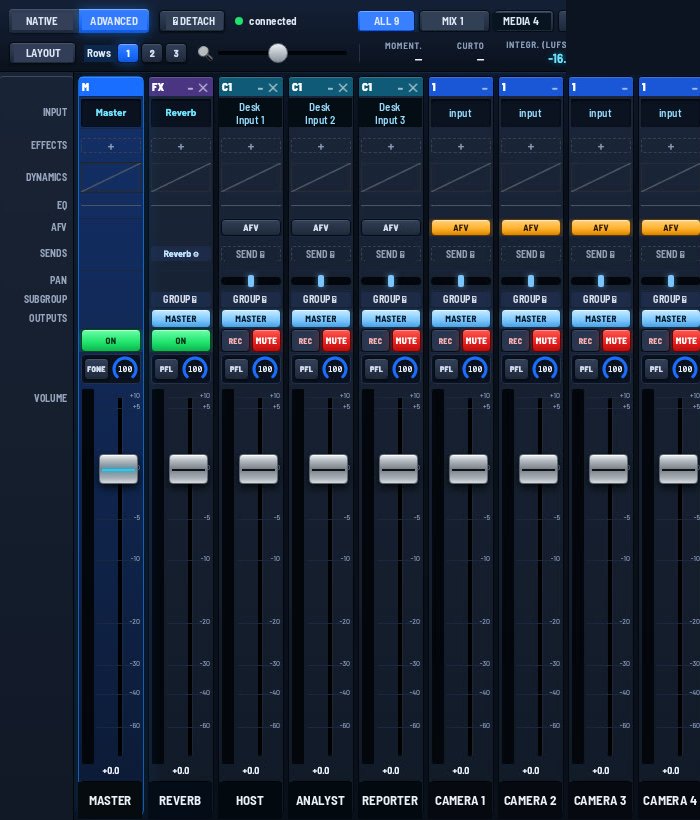
- Gain. Each channel has a Gain control in the FX window, from −24 to +24 dB, that acts before the EQ and the fader. It corrects a signal that arrives too hot or too weak. It does not repair a signal that was already clipped before reaching the computer.
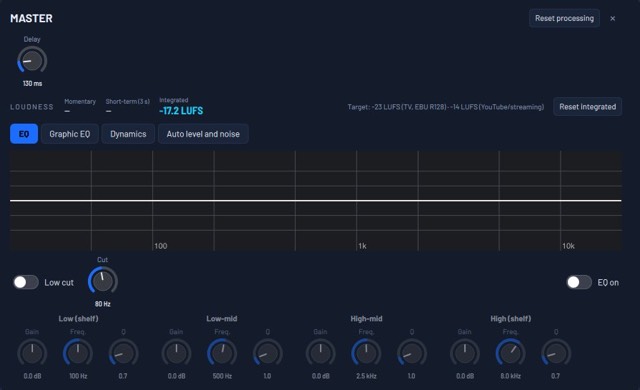
- Limiter. The limiter does not let the sound pass the Ceiling; the default is −1 dB. For protecting the stream, turn it on in the Master. See gate, compressor and limiter.
- Load. The footer of the main screen shows the CPU and memory use and the count of dropped frames.
- Recording. The multitrack recording is made at 48 kHz, in 24-bit or 32-bit float. The 32-bit float file keeps what went over 0 dB, so the level can be lowered afterwards without distortion. See multitrack recording.
Related questions
Why does my audio distort even with the fader low?
The clipping happens before the fader. The preamp, the output of the sound desk or the input of the interface is receiving too much level. Lower the gain at the first stage whose meter reaches the top.
Why does the audio crackle only when the computer is busy?
Audio has to be processed without interruption. When the processor is at its limit, blocks of audio arrive late and each one is heard as a pop. Close other programs, reduce the load of the production and connect the audio interface directly to the computer.
Can a limiter fix distorted audio?
No. A limiter stops the level from passing a ceiling from that point on. It prevents clipping at the output, but it cannot restore a signal that was already distorted at an earlier stage.
In the NWK help center
Written and reviewed by the NWK Live Production team (Setor 360 Tecnologia e Eventos Ltda). Published .
NWK has gain, compressor and limiter on each channel, a limiter on the Master and a loudness meter in LUFS.
Try NWK free for 7 days