
Short answer
A vertical live stream is a 9:16 picture, taller than it is wide, made to fill a phone held upright. You produce it by turning the camera on its side or by cutting an upright slice out of a 16:9 production. The slice keeps a little less than a third of the width of the horizontal picture, so the framing and the graphics have to be planned for it. Before the event, confirm on the official page of the platform how the platform receives a vertical stream from a program.
On this page
What 9:16 means
The proportion 9:16 is the 16:9 of television with the sides exchanged: 9 parts of width for 16 of height. A picture of 1080 by 1920 pixels is the vertical equivalent of 1080p.
The other proportions, and the reason safe areas exist, are in aspect ratio and safe areas.
Framing for a narrow picture
- One subject at a time. A shot of two people side by side does not fit. Use single shots and cut between the people.
- Subject in the middle of the slice. A horizontal camera that places the presenter on a third of the picture leaves the presenter on the edge of the vertical slice. Either center the subject or move the slice for that camera.
- Sideways movement leaves the frame. A person who walks across the stage, or a ball that crosses the field, goes out of a slice that stays still.
Graphics and text
A lower third that takes the whole width of the horizontal picture is cut on both sides in the vertical slice. For a production that goes out in both formats, keep what has to be read inside the central column.
Phone apps draw their own interface over the video: the name of the channel, the comments and the buttons. Leave the top and the bottom of the vertical picture free of important text, and check the result on a phone in a private test, because each app covers a different area.
Sending: confirm with the platform
A vertical stream is one more stream, with its own key, and it counts in the upload like any other. The rule for receiving a vertical stream from a streaming program changes from platform to platform: access to a server address and a stream key can depend on the account, and the resolution the platform expects is the one on its official page. See also TikTok LIVE from a computer and Stream in 16:9 and 9:16 at the same time.
Vertical in NWK Live Production
In NWK Live Production, on Mac, each destination can also send an upright version of the Program. In the “9:16 · Vertical” box of the destination you turn on the switch and paste the key of the vertical stream. See stream vertical alongside horizontal.
- The vertical is an upright crop of the Program, with the transitions and the overlays. A very wide lower third may be cut off at the sides.
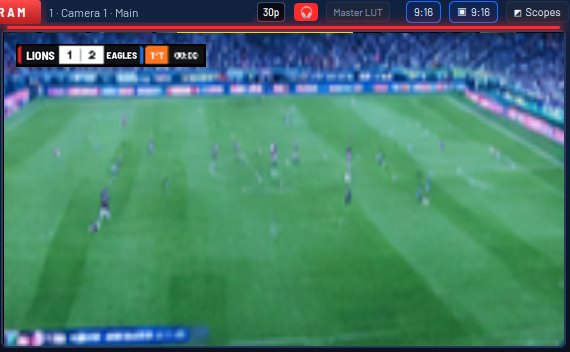
- You choose the crop by dragging the yellow frame on the Program.
- The Guides menu of Preview and Program has a 9:16 guide and the safe areas. The guides do not go out on the stream. See format guides and safe areas.
- NWK can also record the vertical version in a second file, with the word “vertical” in its name. See record the vertical version.
The step by step is in One production, two outputs: horizontal and vertical.
Related questions
What resolution is a 9:16 stream?
A picture of 1080 pixels of width by 1920 of height is the vertical equivalent of 1080p, and 720 by 1280 is the equivalent of 720p. The resolution that a platform expects for a vertical live stream is the one written on the official page of that platform; confirm it before the event.
Can I stream vertical and horizontal at the same time?
Yes, when the program produces the two pictures and sends each one with its own key. The two streams leave the computer together, so the upload has to carry the sum of the two bitrates with headroom.
Do horizontal graphics work in a vertical stream?
Only the part of the graphics that is inside the vertical slice appears. Keep names and scores in the central column, or make a version of the graphics for the vertical picture.
In the NWK help center
- Stream vertical (9:16) alongside horizontal
- Also record the vertical version
- Format guides, safe areas and scopes
- Quality per destination
Written and reviewed by the NWK Live Production team (Setor 360 Tecnologia e Eventos Ltda). Published .
On Mac, NWK sends an upright crop of the Program alongside the horizontal stream and can record it in a second file.
Try NWK free for 7 days
