
Short answer
To stream to a horizontal platform such as YouTube and to a vertical one such as TikTok at the same time, the program has to send two pictures: the 16:9 program and a 9:16 crop of it, each with its own stream key. Get a server address and a stream key from each platform, turn on the vertical output, choose the crop camera by camera and count the two streams in the upload.
On this page
Step by step
- On the horizontal platform, create the live stream and copy the server address and the stream key.
- On the vertical platform, check that your account shows a server address and a stream key, and copy them.
- In the streaming program, paste the horizontal key in the 16:9 output and the vertical key in the 9:16 output.
- Choose the vertical crop, and check it with each camera on air.
- Check titles and lower thirds inside the crop.
- Add up the upload of the two streams and compare the total with the measured upload.
- Rehearse with both streams on, then start them together.
Two platforms, two keys
A stream key belongs to one stream on one platform. The horizontal stream and the vertical stream are two separate streams, so each one needs the server address and the key that its platform gives.
YouTube documents streaming with an encoder: YouTube Studio, Create, Go live, and the Stream tab shows the stream URL and the stream key. For vertical platforms the rule changes from platform to platform and from account to account. The practical test is the platform's own panel: if your account shows a server address and a stream key for going live from a computer, a streaming program can send to it. If it does not, the streaming program has nowhere to send the vertical stream.
Check that well before the event. The rest of this page assumes you have both keys.
Prepare the crop camera by camera
The vertical picture is an upright slice of the horizontal one. A crop that suits the wide camera rarely suits the close-up, because the subject is in a different place in each shot. Go through the cameras one at a time before the event, put each one on air and place the crop where the subject is.
Why two formats, and how to frame for both, is covered in stream in 16:9 and 9:16 at once. For this workflow, two rules are enough: keep the person who speaks inside the crop, and avoid wide shots of two people far apart.
Graphics that survive the crop
| Graphic | In the vertical | What to do |
|---|---|---|
| Lower third across the screen | Cut off at both sides | Make a narrow, centered version |
| Logo in a corner | Outside the crop | Accept it, or move it toward the center |
| Scoreboard at the top center | Usually inside | Check the width with the crop on |
| Full-screen slide | Only the middle is visible | Avoid slides with text near the edges |
Horizontal and vertical in NWK Live Production
On Mac, each NWK destination has two boxes, “16:9 · Horizontal” and “9:16 · Vertical”, each with its own on/off switch and its own key field. The vertical can use a different server: check “The vertical uses another server” and type the address. For a platform that has no ready-made template, the Custom (RTMP/RTMPS) template takes the server address and the key the platform shows. See add a destination.
- The vertical is an upright crop of the Program, with the transitions and overlays.
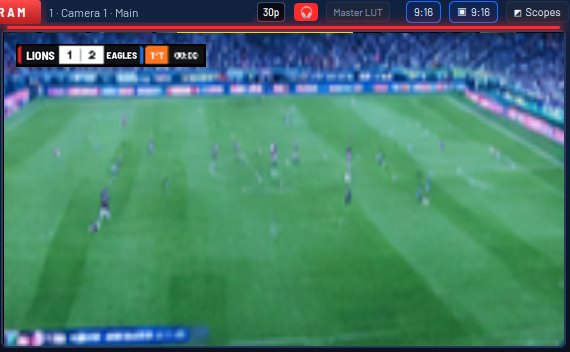
- When a 9:16 destination is on, a yellow frame appears on the Program. Drag it to the left or right to choose the crop.
- The general position applies to all inputs. With Own position on, a camera keeps a crop of its own.
- The quality chosen for a destination applies to its 16:9 and to its 9:16.
The steps are in stream vertical alongside horizontal.
Two streams in the upload and in the count
The vertical is one more stream leaving the computer. In NWK each format that is on counts as one stream, up to a total of 8, and the list of destinations shows the total upload. Add up the bitrates and keep headroom; the calculation is in how much upload speed a live stream needs.
If the plan is to publish vertical clips afterwards, the recording settings in NWK have the option “Also record the vertical version (9:16), in a second file”, with the same crop. Recording uses no upload.
Common mistakes
- Finding out on the day that the vertical account gives no stream key.
- Pasting the horizontal key in the vertical field.
- Leaving the crop in the center while the speaker stands at the side.
- Adjusting the crop on one camera only.
- Leaving the vertical stream out of the upload calculation.
To send the horizontal picture to two platforms as well, see YouTube and Facebook at the same time.
Related questions
Can I stream to YouTube and TikTok at the same time?
Yes, when the program has a horizontal and a vertical output and each platform gives your account a server address and a stream key. YouTube documents streaming with an encoder. For TikTok, check in the platform's panel whether your account shows a server address and a key for going live from a computer.
Can I use the same stream key for horizontal and vertical?
No. Each stream needs the key that its platform gives for that stream. The horizontal and the vertical are two separate streams.
Does the vertical stream need its own cameras?
No. In the crop method, the vertical is a slice of the same program that is on air, with the same cuts and graphics. What it needs is a crop that follows the subject on each camera.
In the NWK help center
- Stream vertical alongside horizontal
- Add a destination
- Stream to several destinations
- Also record the vertical version
- Quality per destination
Sources and references
Written and reviewed by the NWK Live Production team (Setor 360 Tecnologia e Eventos Ltda). Published .
On Mac, NWK sends the Program in 16:9 and an upright 9:16 crop of it, each with its own stream key.
Try NWK free for 7 days

