Short answer
Aspect ratio is the proportion between the width and the height of the picture: 16:9 for horizontal video, 9:16 for vertical video. Safe areas are two margins drawn inside the picture. The action safe area holds everything the viewer has to see, and the title safe area, a little smaller, holds all text and graphics. For 16:9 production, EBU R 95 puts the action safe margin at 3.5% and the graphics safe margin at 5% from each edge.
On this page
Aspect ratio: the shape of the picture
The aspect ratio says how wide the picture is for each unit of height. Aspect ratio is not resolution: 1280 × 720, 1920 × 1080 and 3840 × 2160 are three resolutions with the same 16:9 shape. Resolution is covered in which resolution to stream in.
| Ratio | Where it is used |
|---|---|
| 16:9 | Television, computers and horizontal video on the main platforms |
| 9:16 | Vertical video on phones: Reels, TikTok, Shorts |
| 4:5 and 1:1 | Social media feeds |
| 4:3 | Older television and many projector screens |
| 1.85:1 and 2.39:1 | Cinema |
Safe areas: action safe and title safe
Safe areas come from television sets that hid the edges of the picture behind the frame of the tube. Producers started to keep important content away from the edges, using two rectangles.
- Action safe. Everything the viewer needs to see stays inside: faces, the ball, the product.
- Title safe, or graphics safe. All text, logos and scoreboards stay inside this smaller rectangle.
EBU R 95 defines the safe areas for 16:9 production: 3.5% from the top, bottom and sides for action, and 5% for graphics. That leaves 93% of the width and height for action and 90% for graphics.
Why safe areas still matter
- Some television sets still enlarge the picture slightly and hide the edges.
- Players and apps draw controls, names and buttons over the edges of the picture, above all in vertical video. Each platform publishes its own layout; check the one you stream to.
Recommendation: keep lower thirds, logos and scoreboards inside the title safe area, and check them with the guides on before the event. The page on lower thirds with name and title covers the text itself.
Guides and safe areas in NWK Live Production
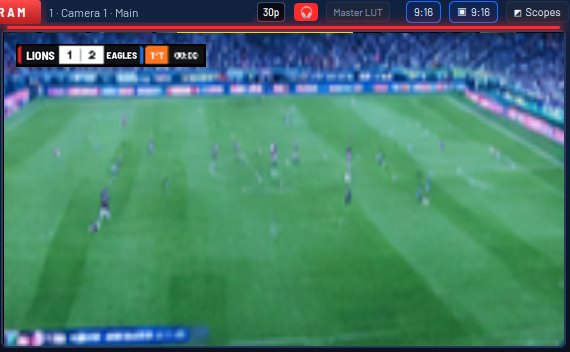
At the top of Preview or Program, the Guides menu draws a format over the picture: 9:16, 4:5, 1:1, 4:3, 1.85:1 or 2.39:1. The same menu has Safe areas (action 93%, title 90%) and Center mark. The guides appear only on the program's screens; they do not go out on the stream. See guides, safe areas and scopes.
NWK can also send a vertical version of the Program: an upright 9:16 crop, with the transitions and overlays, that you position by dragging a yellow frame on the Program. A very wide lower third may be cut off at the sides. See vertical streaming and the guide on horizontal and vertical at the same time.
Common confusions
- Aspect ratio and resolution. The ratio is the shape; the resolution is the number of pixels.
- Title safe is inside action safe. Text needs more margin than action.
- A safe area is not a crop. The picture goes out whole. The safe area is a guide for the person framing and designing.
Related questions
What is the title safe area for 1080p?
With the 5% graphics margin of EBU R 95, the title safe area of a 1920 × 1080 picture starts 96 pixels from the left and right edges and 54 pixels from the top and bottom. Text and logos stay inside that rectangle.
Do I still need safe areas for online video?
Yes. Computer and phone screens show the whole picture, but players and apps cover parts of it with controls and text, and some television sets still hide the edges. A margin also makes text easier to read.
Is 16:9 the same as 1080p?
No. 16:9 is the shape of the picture. 1080p is one of the resolutions with that shape, 1920 × 1080 pixels. 720p and 4K at 3840 × 2160 are 16:9 too.
In the NWK help center
- View format guides, safe areas and scopes
- Stream vertical (9:16) alongside horizontal
- Also record the vertical version (9:16)
- Create a title or lower third
Sources and references
Written and reviewed by the NWK Live Production team (Setor 360 Tecnologia e Eventos Ltda). Published .
NWK shows format guides and safe areas over Preview and Program, and sends a vertical crop of the Program.
Try NWK free for 7 days