
Short answer
A school stream works when three things are settled before the day: who may appear on camera and who may watch, how the sound reaches the stream, and who operates. Use one or two fixed cameras, take the sound from the room's sound desk or from a microphone close to the stage, and send the link only to the families when the school's rule asks for a closed stream.
On this page
Student images come first
Students are minors. Before any camera is switched on, follow the school's rule on image authorization and the law of your country. This page gives no legal guidance. The points below are practical questions to take to the school administration.
- Which students have an authorization on file, and what to do in the shots where a student without one appears.
- Whether the stream is open to anyone or restricted to the families. Streaming platforms offer visibility options; choose the visibility before creating the event.
- Whether the recording stays available afterwards, where and for how long.
- Whether names of students appear on screen.
Three kinds of event
| Event | Main difficulty | What works |
|---|---|---|
| Performance or recital | Sound in a gym or a hall with echo | A feed from the sound desk, one wide camera on a tripod and, with a second person, one close camera |
| Science or culture fair | Many stands, noise, no fixed stage | A reporter with a handheld microphone and a camera that moves, in short segments |
| Parent meeting | Parents need to hear and to read the slides | One camera, the slides as a signal from the computer and a microphone on whoever speaks |
The wide camera on a tripod is the safe shot: it shows the whole stage and needs no operator. Place it high enough to see over the heads of the audience.
Sound decides whether families keep watching
A camera microphone at the back of a gym records the echo of the room and the people nearby. Ask whoever runs the school's sound system for an output from the sound desk. If there is no sound desk, put a microphone close to the stage and run a cable to the computer.
Performances use music. Platforms can mute or block a stream because of the music in it, and the rules change from country to country. For what the school is allowed to stream, consult the rights organization of your country.
One adult at the controls
- Keep the setup small. One camera that never fails is better than three that nobody can watch.
- Write a one-page checklist and keep it with the equipment: cables, power, network, sound test, start, stop.
- Use a wired network connection from the school office when the gym Wi-Fi is shared with the audience.
- Rehearse during the students' own rehearsal. It is the only moment with the real sound and the real light.
- Record on the computer as well. If the stream fails, the families still get the video.
The page on producing alone goes further into what one person can handle, and the rehearsal checklist lists what to test.
Where NWK Live Production fits
NWK Live Production is a live production program for Mac. For a school, these documented features matter.
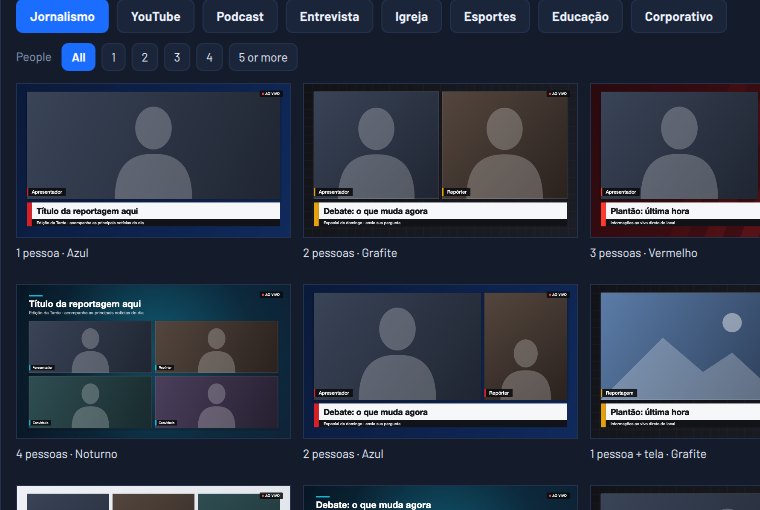
- A ready layout: the ready-made templates window has an Education tab, and you place your cameras in the slots.
- The same setup every time: a preset keeps a ready setup and applying it does not change the preset, so each event starts from the same point.
- A check before going live: the check before going live looks at inputs, microphones, disk, internet and destinations and marks what needs attention.
- A second person on sound: another teacher can mix the audio from a browser on a tablet, with a PIN, without installing anything.
- The recording: recording and streaming are separate. If the venue internet drops, the recording continues on the computer.
NWK is sold by subscription, with a 7-day free trial. See the pricing page.
Related questions
Can a school live stream an event with students?
It depends on the school's own rule and on the law of your country about images of minors. Take the question to the school administration before the event and follow the authorizations on file. This page gives no legal guidance.
How do I stream a school event only to the parents?
Create the event with restricted visibility on the streaming platform and send the link only to the families, through the school's usual channel. Check the visibility again before going live, because a link can be forwarded.
What is the minimum equipment for a school performance?
A computer with a production program, one camera on a tripod with a wide shot, a sound feed from the room's sound desk or a microphone near the stage, and a wired internet connection. A second camera only helps if a second person operates it.
In the NWK help center
- Start with a ready-made template
- Use presets as a starting point
- Check everything before going live
- Operators in the browser
- Record the Program
Written and reviewed by the NWK Live Production team (Setor 360 Tecnologia e Eventos Ltda). Published .
NWK has ready-made Education layouts, presets and a check before going live, on Mac.
Try NWK free for 7 days

