
Short answer
Open instagram.com on the computer, click Create and choose Live video. After the title and the audience, Instagram shows a URL and a stream key, which go into the encoder as a custom RTMP destination. Instagram says only public accounts with 1,000 followers or more can start a live video, and the stream key changes every time the feature is used.
On this page
What the account needs
Instagram's Help Center says that only users with a public account and 1,000 followers or more can start a live video. The same page adds three cases to check:
- Live video is off by default for Teen Accounts.
- An account that had a post removed for going against the Community Standards may not be able to go live.
- Newly created accounts may not be able to go live.
If the Live video option does not appear on instagram.com, check the account status on Instagram before looking for a fault in the encoder.
The steps on instagram.com
These are the steps of the Computer Help tab of Instagram's Help Center:
- Open instagram.com and click Create.
- Select Live video.
- Type the title and select the audience. Practice does not start the live video for anyone; Public goes live to your followers.
- Instagram shows a screen with the URL and the stream key. Copy the two.
- In the encoder, choose a custom RTMP destination and paste the URL and the stream key.
- Start sending from the encoder. A preview appears in Live Producer after a few seconds.
- Click Go live in Live Producer.
- To finish, click End live video.
Practice is the rehearsal: the whole path is tested and nobody is called.
The key changes, and the order to finish matters
Instagram states that the stream key is not static and refreshes each time Live Producer is used. Copy the URL and the key again before every stream, including the stream that follows a practice. An encoder that kept last week's key will not connect.
To finish, end the live video in Live Producer first and stop the encoder after that. Instagram warns that when the encoder stops first, the live video keeps showing the last frame received.
The picture: upright, 720 by 1280
The Help Center page gives no encoder numbers. Instagram's post about Live Producer, from November 2022, lists these recommendations:
| Setting | Instagram's 2022 recommendation |
|---|---|
| Picture shape | 9:16, recommended but not required |
| Resolution and frames | 720 by 1280 at 30 frames per second; 60 is also supported |
| Video bitrate | 2,250 to 6,000 kbps |
| Audio | 44.1 kHz, stereo, up to 256 kbps |
The same post says a horizontal picture is accepted, but viewers see it cropped at the sides and enlarged to fill 9:16. A production framed in 16:9 loses whatever sits near the edges, such as a lower third. How to frame for the upright picture is in vertical live streaming 9:16.
What is different from the phone
According to the 2022 post, a stream sent through Live Producer did not have Live Rooms with guests, Shopping, fundraisers, Q&A or moderators, and the comments were read and answered inside Live Producer. Instagram may have changed this list since then: confirm in Live Producer, with a practice, before promising any of these to a client.
Instagram in NWK Live Production
In NWK Live Production, “+ New destination” has a ready-made Instagram template. The template's tip says: on the computer, Create › Live, and copy the URL and the key, because the Instagram server can change. See add a destination.
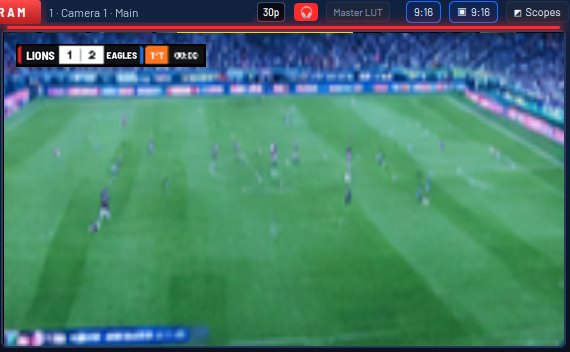
- On Mac, each destination has a “16:9 · Horizontal” box and a “9:16 · Vertical” box, each with its own switch and its own Key field. For an upright picture, turn on the 9:16 box and paste the key there.
- The vertical is an upright crop of the Program, with the transitions and overlays. Drag the yellow frame on the Program to choose the part of the picture. See stream vertical alongside horizontal.
- The Quality box of the destination offers 720p, with the bitrate in kbps.
- Another destination, such as YouTube in 16:9, can be on at the same time: one production, two outputs.
NWK runs on Mac with Apple Silicon and is sold by subscription, with a 7-day free trial. See the pricing page.
Related questions
Can I go live on Instagram from a computer?
Yes, when the account qualifies. Instagram's Help Center describes it for instagram.com: Create, Live video, then a screen with a URL and a stream key to paste into streaming software as custom RTMP. Instagram says only public accounts with 1,000 followers or more can start a live video.
Why did my Instagram stream key stop working?
Instagram states that the stream key is not static and refreshes each time Live Producer is used. Open Create and Live video again, copy the new URL and the new key, and paste them into the encoder.
Can I stream a horizontal picture to Instagram Live?
Instagram's post about Live Producer says a horizontal picture is accepted, but viewers see the sides cropped and the picture enlarged to fill 9:16. Instagram recommends sending 9:16, at 720 by 1280.
In the NWK help center
Sources and references
- Instagram Help Center: start a live video on Instagram, Computer Help (checked Nov 2026)
- Instagram: Instagram Live Producer, post of Nov 2022 (checked Nov 2026)
Written and reviewed by the NWK Live Production team (Setor 360 Tecnologia e Eventos Ltda). Published .
NWK has a ready-made Instagram destination and, on Mac, sends an upright 9:16 crop of the Program with its own key.
Try NWK free for 7 days