Short answer
Hybrid event production means delivering the same session to two audiences: the people in the room and the people watching remotely. The hard part is not the cameras. It is the signal paths: a remote speaker must be seen and heard in the room, must hear the room without hearing their own voice, and the remote audience must hear everything clearly. Draw who sees and hears what before choosing equipment.
On this page
Who needs to see and hear what
| Who | Sees | Hears | Must not hear |
|---|---|---|---|
| Audience in the room | The stage and, on the big screen, slides and remote speakers | The room sound system, including the remote speakers | The stream, which arrives late |
| Remote audience | The program: cameras, slides and remote speakers | Every microphone, the videos and the remote speakers | The echo of the room |
| Remote speaker | The program or the stage | The host and the questions | Their own voice coming back |
| Speaker on stage | A monitor facing the stage with the remote speaker | The remote speaker, through the stage monitors |
The return without the person's own voice is called mix-minus. Every remote speaker needs one.
The difficulties that are specific to hybrid
- The remote speaker's voice in the room. The voice plays on the room speakers, the stage microphones pick it up and send it back. The remote speaker hears an echo of themselves. Keep that voice out of the return and keep the room level moderate.
- Questions from the floor. A question asked without a microphone does not exist for the remote audience. Use a handheld microphone, or have the host repeat every question.
- Questions from remote viewers. A public stream has a delay of several seconds. Open the questions early and give one person the single job of reading them.
- Remote speakers cannot follow the event on the public stream. The delay makes conversation impossible. They need a direct return with low delay.
The camera and audio plan for conferences and panels covers positions and microphones.
A minimum setup for one room
- Two cameras: a wide shot of the stage and a close shot of whoever speaks.
- The slides as their own source.
- A feed from the room console to the production, and a feed from the production back to the console with the remote speakers.
- A feed from the production to the room projector, when remote speakers appear on the big screen.
- A wired internet line and a second connection.
- A moderator for the remote audience, apart from the host of the room.
With parallel rooms, treat each room as a production of its own. Sharing one operator between two rooms fails when both need attention at the same minute.
What NWK Live Production covers
NWK Live Production is a live production program for Mac. For a hybrid session:
- Remote speaker by link. The CALL input brings the speaker in through the browser. The speaker gets the Program and the studio sound back without their own voice, and you can choose what the guest sees and hears. See remote guest with CALL and the tutorial interview with a remote guest.
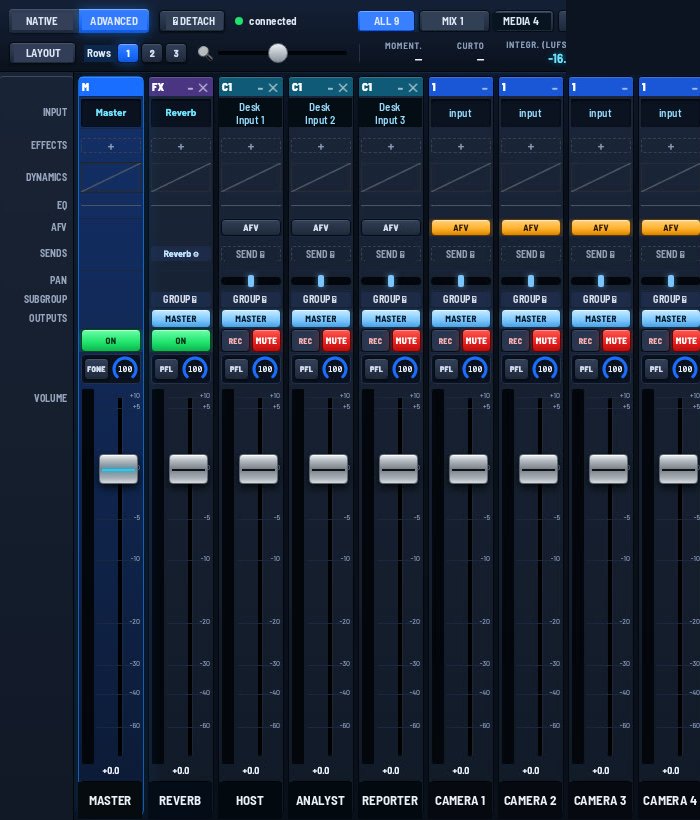
- A separate mix for the room. Outputs A to E are mixes of their own: you choose, channel by channel, what goes to each one, and “Master minus…” removes the inputs that must not come back. See outputs A–E.
- The Program on the big screen. A monitor or projector connected to the computer can show the Program full screen, with no interface and no cursor. See external output.
- Echo from a speaker near the microphone. Echo cancellation on the microphone channel removes the sound of the return that plays on a speaker. See cancel speaker echo.
NWK is sold by subscription, with a 7-day free trial; see pricing.
Rehearse the three paths
A hybrid rehearsal has three checks, each made from the place of the person concerned. Sit in the room and listen to a remote speaker. Watch the stream on a phone with headphones and listen to a question from the floor. Then ask the remote speaker whether the room is clear and whether any of their own voice comes back.
Related questions
What is the difference between a hybrid event and a live-streamed event?
A live-streamed event shows the room to people who only watch. A hybrid event lets remote people take part: remote speakers appear in the room and remote viewers ask questions. That requires signal paths in both directions.
Why does the remote speaker hear an echo of their own voice?
Because their voice plays on the room speakers, the stage microphones pick it up and the mix returns to them. Send the remote speaker a return without their own voice, and lower the level of that voice on the speakers closest to the microphones.
Can one person run a hybrid event?
Only a small session with fixed cameras, one remote speaker and the room sound run by someone else. Remote questions, several remote speakers or a panel on stage need at least one person for the sound and one for the remote audience.
In the NWK help center
- Remote guest with CALL
- Outputs A–E and echo-free return
- Show the Program on another monitor
- Cancel speaker echo
Written and reviewed by the NWK Live Production team (Setor 360 Tecnologia e Eventos Ltda). Published .
NWK brings remote speakers in by link, with a return without their own voice, and has separate audio outputs for the room.
Try NWK free for 7 days