Short answer
Cover a panel with three shots: a wide shot of the whole table, a shot of the moderator and a tight camera that goes to whoever is speaking. Give each person a microphone on a channel of its own, so the level of a quiet panelist can be raised without raising the others. For a conference with several sessions, prepare the names of all speakers beforehand and treat each change of session as part of the program, with a picture and sound of its own.
On this page
The camera plan for a panel
| Camera | Shot | Use |
|---|---|---|
| 1 | Wide shot of the whole table, fixed | The start, the end, two people talking over each other, any moment of doubt |
| 2 | Moderator | Questions and the handover between panelists. Can be fixed, because the moderator stays in place |
| 3 | Tight, with an operator | Whoever is answering. The operator reframes while another camera is on air |
Seat the moderator at one end, not in the middle. With the moderator in the middle, half of the panel looks left and half looks right, and every cut changes direction. Why this matters is in camera placement.
Cutting a conversation
- Cut to the person who speaks after the first words, not before. A late cut on a real answer is better than an early cut on a cough.
- Do not chase short interjections. A yes or a laugh ends before the cut arrives; stay where you are or go to the wide shot.
- Ask the moderator to say the name of the next person before handing over. The name is the cue for the camera operator.
The principles behind these rules are in when to cut.
The audio plan
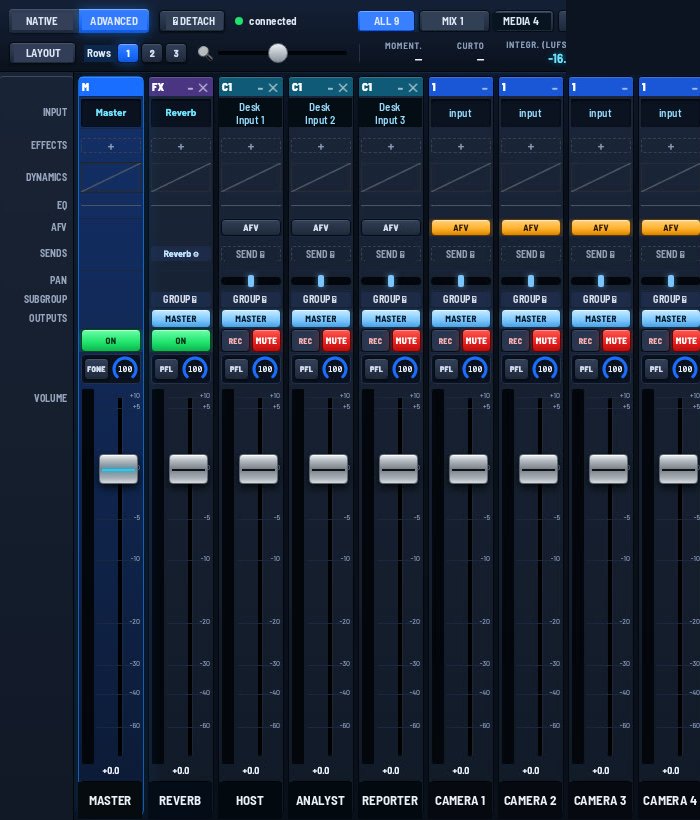
- One microphone per person, one channel per microphone. If the room's sound desk mixes the whole table into two channels, ask for the individual channels, or for a mix made for the stream.
- Close the microphones that are not in use, or lower them. Six open microphones on a table pick up the room six times: the sound turns hollow and the air conditioning rises.
- Someone has to follow the levels. A panel has loud and quiet voices side by side. The person who cuts cameras cannot also ride six faders.
- Questions from the audience. Use a microphone on a stand in the aisle or a handheld microphone carried by an assistant. Without one, the moderator repeats the question.
A day with several sessions
- Names. Ask the organizers for a list with the name and the role of every speaker, by session, and load it before the first session. Typing a name while the person is already speaking produces spelling mistakes on air.
- Changeovers. Between sessions the stage is rearranged and the microphones change hands. Put a holding slide on screen with the title and the time of the next session, and close the stage microphones.
Panels in NWK Live Production
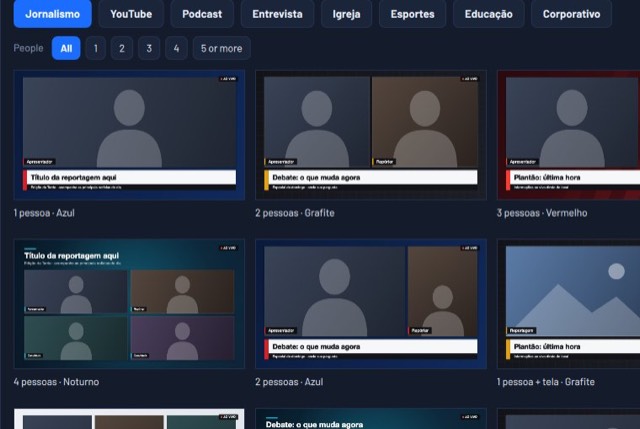
- A title can be linked to a Google Sheet or to a JSON, XML or CSV file. Each field takes a column, and you move from one row to the next, so the list of speakers becomes the lower thirds of the day. See pull live data into a title and the walkthrough in names and results from a spreadsheet.
- Each channel of the mixer has an equalizer, gate, compressor and limiter, and automatic level and noise reduction. A second person can run the whole mixer from a tablet or another computer, in the browser, with the Audio Operator. See run the audio from another computer or tablet.
- Multitrack recording saves each channel of the mixer to its own WAV file, all aligned, to remix a session afterwards. See multitrack recording.
Related questions
How many cameras do I need for a panel?
Three shots cover a panel of up to four people: the whole table, the moderator and a tight camera with an operator. For larger tables, add a fourth camera and frame the panel in two halves, so there is always a shot that contains whoever starts speaking.
Can one microphone in the middle of the table capture a whole panel?
It captures the voices, with the room around them and at different levels according to the distance of each person. For a stream it is the last resort. One microphone per person, on separate channels, is what lets each voice be heard at the same level.
How do I capture questions from the audience?
With a microphone the question is spoken into: on a stand in the aisle, or handed over by an assistant. If there is none, the moderator repeats the question before the answer. A camera microphone at the back does not make a question intelligible.
In the NWK help center
Written and reviewed by the NWK Live Production team (Setor 360 Tecnologia e Eventos Ltda). Published .
NWK pulls speaker names from a spreadsheet into the lower third, has a full mixer that a second person runs from a tablet and records each channel separately.
Try NWK free for 7 days