
Short answer
Send AAC audio in stereo. YouTube publishes 128 kbps for stereo at 44.1 kHz. Meta's reference for Facebook Live lists 128 kbps as the preferred bitrate and 256 kbps as the maximum, at 44.1 or 48 kHz. The platform encodes the audio again before it reaches viewers, so a bitrate far above the published one brings little.
On this page
What the platforms publish
These are the audio values on the official pages listed in the sources at the end of this page.
| Platform | Codec | Bitrate | Sample rate | Channels |
|---|---|---|---|---|
| YouTube | AAC or MP3 | 128 kbps for stereo, 384 kbps for 5.1 | 44.1 kHz for stereo, 48 kHz for 5.1 | Stereo or 5.1 surround |
| Facebook Live | AAC low complexity | 128 kbps preferred, 256 kbps maximum | 44.1 kHz or 48 kHz | Stereo |
| Instagram (Live Producer post of 2022) | Not stated | Up to 256 kbps | 44.1 kHz | Stereo |
For any other platform, open the encoder settings page of that platform and use its values.
Audio bitrate: small in the upload, large in the result
The audio bitrate is set apart from the video bitrate and both count in the upload. In a stream with 6,000 kbps of video, 128 kbps of audio is about 2% of what you send. Lowering the audio bitrate to save upload saves almost nothing and is heard at once; when the connection is short, lower the video. The sum is explained in how much upload speed a live stream needs.
AAC removes part of the sound to fit the bitrate. At the values the platforms publish for stereo, speech and music both come through clean. What viewers call bad audio is almost never the bitrate: it is a distant microphone, a level that clips or a level that is too low.
Sample rate: one value along the whole chain
Video work normally runs at 48 kHz; music distribution uses 44.1 kHz. YouTube lists 44.1 kHz for stereo and Meta accepts either. The listener does not hear a difference between the two.
What causes trouble is disagreement. An audio interface or digital console running at one rate while the program expects another is a known cause of clicks and of sound at the wrong pitch. Set the devices and the project to the same rate and leave the conversion to the encoder. The terms are explained in sample rate, bit depth and 32-bit float.
Channels: stereo, with mono in mind
- Stereo is the default. Every platform in the table accepts it.
- A single microphone goes to the center. A microphone plugged into input 1 of an interface and treated as the left half of a stereo pair plays in one ear only. Check the stream with headphones.
- Listen in mono once. Many phones and small speakers play close to mono. Two channels that are out of phase lose body or vanish when they are added together.
- 5.1 is a special case. YouTube accepts 5.1 surround only with AAC over RTMP or RTMPS, at 384 kbps and 48 kHz. It only makes sense when the whole production is mixed in 5.1.
The bitrate does not fix the level
The encoder keeps whatever it receives, including distortion. Before thinking about kbps, look at the meter of the main output: peaks below the top of the scale, and a steady loudness from start to end. The method is in setting loudness for the platforms.
Stream audio in NWK Live Production
NWK Live Production streams H.264 video with AAC audio. See set up live streaming.
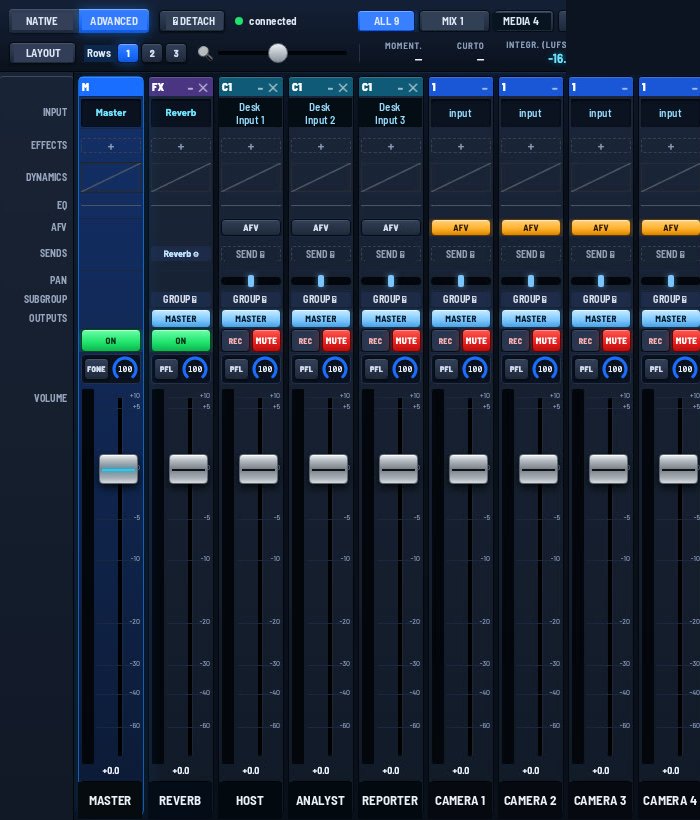
- The loudness measures are always visible at the top of the mixer: Moment., Short and Integr. (LUFS). See measure loudness in LUFS.
- The pre-flight check listens to the microphones for 3 seconds and warns when one had no sound.
- The multitrack recording is a separate matter: it is recorded at 48 kHz, in 24-bit or 32-bit float, and does not change what goes to the stream.
Related questions
Is 128 kbps enough for music in a live stream?
128 kbps in stereo AAC is the value YouTube publishes for live streams, and it carries music well. Meta's reference for Facebook Live accepts up to 256 kbps, so a music stream to Facebook can use a higher value inside that limit.
Should I stream audio at 44.1 kHz or 48 kHz?
Either works. YouTube lists 44.1 kHz for stereo and Meta's reference for Facebook Live accepts 44.1 kHz or 48 kHz. Keep the audio interface, the console and the project at the same rate so that no device runs at a rate the program does not expect.
Should a live stream be mono or stereo?
Send stereo, which the platforms in the table above accept, and place single microphones in the center so that they play in both ears. Then listen to the mix in mono once, because many phones play close to mono and out-of-phase channels weaken when added together.
In the NWK help center
Sources and references
- YouTube Help: choose live encoder settings, bitrates and resolutions (checked Nov 2026)
- Meta for Developers: Live Video API reference, live video specifications (checked Nov 2026)
- Instagram: Instagram Live Producer, post of Nov 2022 (checked Nov 2026)
Written and reviewed by the NWK Live Production team (Setor 360 Tecnologia e Eventos Ltda). Published .
NWK streams H.264 with AAC audio and keeps the loudness measures in LUFS visible at the top of the mixer.
Try NWK free for 7 days

