Short answer
A UPS keeps the equipment running on its battery when the power fails or dips. In a live event it is there to ride through short failures and to give time to shut down in order, not to run the event for hours. Size it by adding up the consumption written on the label of every device you will plug into it, and keep the total below the capacity of the UPS. Find the runtime in the chart of the manufacturer for that load, and confirm it with a test.
On this page
What a UPS does and does not do
A UPS (uninterruptible power supply) has a battery and a circuit that takes over when the mains voltage disappears or goes out of range. Three kinds are common:
| Kind | How it works |
|---|---|
| Standby (offline) | Passes the mains straight through and switches to the battery when the mains fails |
| Line-interactive | Also corrects voltage that is somewhat high or low without using the battery |
| Online (double conversion) | Feeds the equipment from its own circuit all the time, with no switching moment |
A UPS does not replace a generator. When the failure is long, the battery buys the time to end the recording, warn the audience and shut down without corrupting files.
What goes on the UPS
- The production computer. A laptop has its own battery, but what is connected to it may not.
- The modem, the router and the network switch. Without them the stream drops even if the computer stays on.
- Capture devices, audio interfaces and USB hubs that have their own power supply.
- Video converters and the power supplies of the cameras that run from the mains.
- One monitor, to be able to operate.
Leave off the UPS everything that draws a lot of power and is not needed to stay on air: lighting, amplifiers and loudspeakers, printers, heaters, coffee machines. These loads drain the battery in a short time or exceed the capacity of the UPS.
How to size it: add up the labels
- List every device that will be plugged into the UPS.
- Read the label of each one, or the label of its power supply. It shows the consumption in watts (W), or the voltage in volts (V) and the current in amperes (A).
- Where the label only gives volts and amperes, multiply one by the other. The result is in volt-amperes (VA).
- Add up the watts of all the devices, and add up the volt-amperes.
- Compare with the UPS. A UPS has two limits, one in VA and one in W, and the limit in W is usually the lower number. Both sums must stay below the limits, with room to spare.
The label shows the maximum consumption, and real use is normally lower. A plug-in power meter, placed between the outlet and the power strip, shows the real number with everything running.
Runtime is not a fixed number of the model. It depends on the load and on the age of the battery. The manufacturer publishes a chart of runtime by load: look up your total there. Then test: in rehearsal, with everything running, unplug the UPS from the wall and time how long it lasts.
Power at the venue
- Ask which circuit the outlet belongs to. Avoid sharing a circuit with stage lighting, amplifiers or the kitchen.
- Feed the audio and video equipment from the same power point. Besides being simpler, this reduces the chance of hum; see hum and ground loops.
- Use extension cords rated for the load and unwind cable reels completely.
- Tape down cables where people walk. A kicked plug is the most common power failure at an event.
- On generator power, test the UPS with the generator before the event. Some UPS units do not accept the power of some generators and stay on battery.
A plan for when the power does fail
- Decide in advance who does what: who watches the UPS, who ends the recording, who tells the audience.
- Remember that the internet depends on equipment outside your table. A router on the UPS does not help if the equipment of the building or of the provider is off. A phone as a second connection runs on its own battery.
- Put this test on the list in Rehearsal and pre-show checklist.
For a stream that drops because of the connection, see The stream keeps disconnecting.
What NWK Live Production does when the power drops
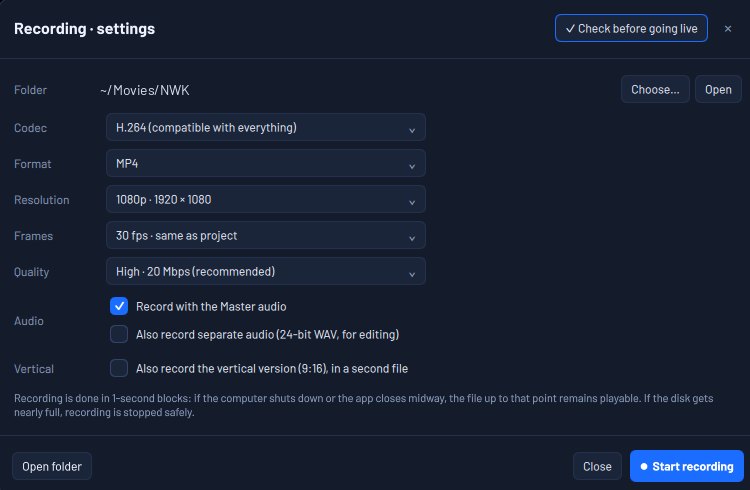
- The recording is kept. NWK records in 1-second blocks. If the computer shuts down midway, the file up to that point still plays. See what happens to the recording.
- The session comes back. When NWK is opened again after closing unexpectedly, it opens the previous session, with the same inputs.
- Stream and recording resume. With the recovery option on, which is the default, the stream and the recording that were active come back by themselves. The recording continues in a new file. See resume after a crash.
- Internet to open. NWK confirms the license over the internet every time it opens. If the power failure also took down the internet, the program only opens when the connection is back. This is one more reason to keep the computer and the router on the UPS. See NWK needs internet to open.
Related questions
How long does a UPS keep the equipment on?
It depends on the load connected and on the state of the battery, so there is no single number for a model. Add up the consumption of your equipment, look up that load in the runtime chart of the manufacturer and confirm with a real test, timing how long it lasts with the UPS unplugged from the wall.
Do I need a UPS if I stream from a laptop?
The laptop keeps running on its own battery, but the modem, the router, the network switch and the devices with their own power supply turn off. Without them the stream drops. A small UPS for the network equipment and those devices solves it.
Can I plug the lighting or the sound system into the UPS?
It is not recommended. Lighting and amplifiers draw a lot of power, drain the battery quickly and can exceed the capacity of the UPS. Keep on the UPS only what is needed to stay on air.
In the NWK help center
- What happens to the recording if the computer shuts down
- Resume the stream and recording after a crash
- NWK reopens the way you left it
- NWK needs internet to open
- The internet dropped during the stream
Written and reviewed by the NWK Live Production team (Setor 360 Tecnologia e Eventos Ltda). Published .
NWK records in 1-second blocks and, when opened again after an unexpected shutdown, restores the session and resumes the stream and the recording.
Try NWK free for 7 days