Short answer
A small team can produce a live news or interview show if the format is fixed and the changes are only in the content. Use a rundown with times, prepare the lower thirds before the show, give one person the job of verifying every name and title that goes on screen, and test each remote guest before air time. Two or three people are enough: one who directs and switches, one who produces and handles guests, and the host.
On this page
What makes news different from other live shows
- The clock decides. The show goes on air at a fixed time. What is not ready is left out.
- The content changes until the last minute. A guest cancels, a story arrives, the order is rearranged. The format has to absorb that without being rebuilt.
- Text on screen is information. A misspelled name or a wrong title is an error of the newsroom, not a visual detail.
Roles and the rundown
| Role | What the person does | With two people |
|---|---|---|
| Director and switcher | Cuts cameras, plays videos, puts titles on and takes them off | One person |
| Producer | Keeps the rundown, contacts and tests the guests, verifies names, watches the time | The other person |
| Host | Leads the show and the interviews | Follows the rundown on paper or on a screen |
The rundown is one page: each block with its duration, who speaks, which video plays and which title goes on. Fix the format: the same opening, the same layouts for one, two and three people, the same closing. The page on an interview with a remote guest shows the setup for a guest who is far away.
Text on screen: verify, then show
Before the show, type every name and title from a written source confirmed with the guest, not from memory. Ask each guest how the name is spelled and how the role should be described.
During the show, the lower third with name and role appears when the person starts to speak and leaves after a few seconds. If a wrong text went on air, correct the text on screen and have the host say the correction. The page on lower thirds with name and role covers the operation.
Remote guests and reporters
Test each guest before air time with the device, the place and the connection the guest will use on the show. Send the guest the picture and sound of the show without the guest's own voice, so there is no echo. Keep a telephone number for each guest as a way back if the connection drops, and write in the rundown what the host does in that case.
Images of third parties and of people
Video and photos from agencies, from other broadcasters and from social networks have owners, and showing them has rules that change by country. The image of people, and of minors in particular, also has rules. For those points, consult the legal adviser of the outlet or the copyright entity of your country before the show, not during it.
Where NWK Live Production fits
NWK Live Production is a live production program for Mac. These features apply to a news or interview show.
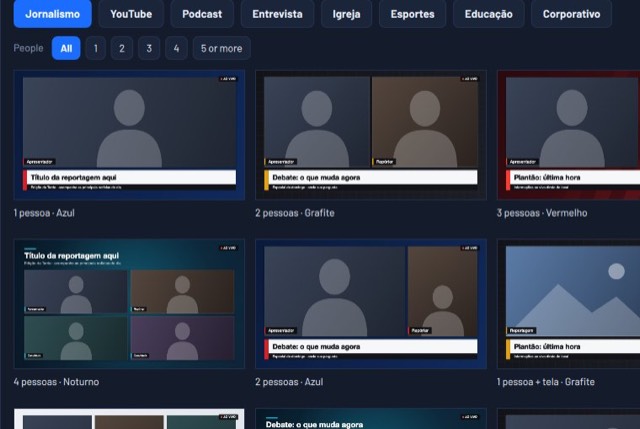
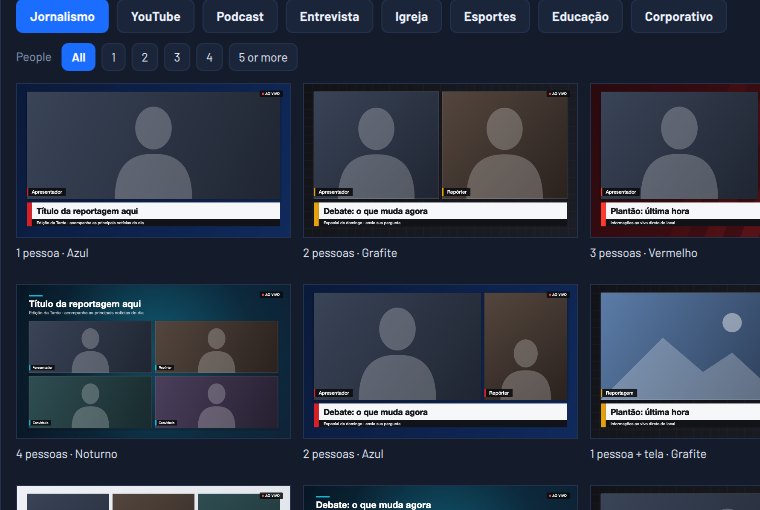
- Fixed layouts: the ready-made templates have News and Interview tabs and a filter by number of people. In each slot you choose a camera, a CALL guest or a media file.
- Remote guest by link: the CALL input creates a link that the guest opens in the browser of a phone or computer, with nothing to install. The guest gets back the Program and the studio sound without the guest's own voice.
- Titles for news: the title types are a lower third with name and role, a ticker, a LIVE badge, a clock and a center title. The text you type only goes on air when you click Apply.
- Names from the producer's spreadsheet: a title can read a Google spreadsheet or a JSON, XML or CSV file and reread it at an interval from 2 to 600 seconds.
- Reports and clips: a video input can have in and out marks so that only the marked section plays.
NWK is sold by subscription, with a 7-day free trial. See the pricing page.
Related questions
How many people does a live news show need?
Two or three for a studio show with interviews: one who directs and switches, one who produces and takes care of the guests, and the host. With two people, the host follows a printed rundown and the producer also verifies the text on screen.
How do I avoid wrong names on screen in a live show?
Type the names before the show from a written source confirmed with each guest, and give one person the task of verifying them. Keep the list of names in one place, such as a spreadsheet, so that the rundown and the screen use the same text.
What should I check with a remote guest before the show?
The device, the place and the connection that the guest will use on air, tested at least once before the show. Check the framing, the light on the face and the microphone, ask the guest to wear headphones, and confirm how the name and the role must be written. Keep the guest's telephone number as a way back.
In the NWK help center
- Start with a ready-made template
- Remote guest with CALL
- Create a title or lower third
- Pull live data into a title
- Add a video
Written and reviewed by the NWK Live Production team (Setor 360 Tecnologia e Eventos Ltda). Published .
NWK has news and interview templates, remote guests by link and lower thirds, tickers and clocks, on Mac.
Try NWK free for 7 days