Short answer
A stinger is a transition in which a short animated video, usually with a logo, plays on top of the program. At the moment the animation covers the whole screen, the switcher cuts to the next source behind it. When the animation leaves, the new picture is already on air. The viewer sees the animation and never sees the cut.
On this page
How a stinger works
A stinger has three moments. The animation comes in over the picture that is on air. The animation fills the frame, and at that instant the source underneath changes. The animation goes out and reveals the new source.
The instant of the change is the cut point. The cut point has to fall where the animation hides the whole picture. If the cut point comes too early or too late, the viewer sees the picture jump through the gaps of the animation.
What the video needs
- Transparency. The video must have an alpha channel, so the picture shows around the animation while it enters and leaves. ProRes 4444 is a common format for this. See alpha channel, key and fill.
- A full-cover moment. At least a few frames in which nothing of the picture shows through.
- Short duration. A stinger is a passage, not a segment. Most last around one second or a little more.
Where stingers appear
- Sports: going into and out of a replay. The animation tells the audience that what follows is not live. Entering and leaving the replay covers this use.
- Segment changes: from the studio to a recorded piece, from the show to a break.
- Branding: the logo of the event or the sponsor crossing the screen.
A stinger draws attention to itself. Between two cameras of the same scene, a cut is still the usual choice. Cut, fade, wipe and stinger compares when to use each transition.
Stingers in NWK Live Production
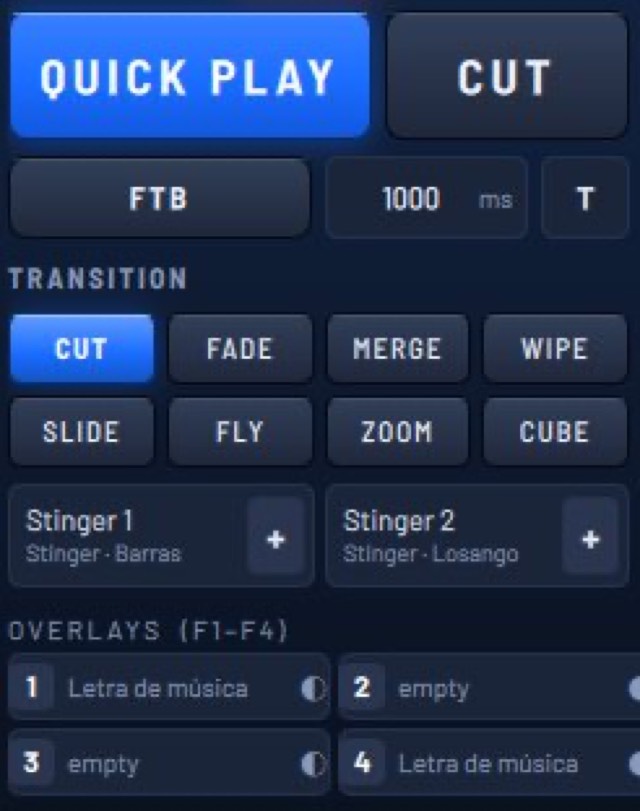
NWK has two stingers, Stinger 1 and Stinger 2, in the transitions panel. For each one you choose a ready-made template that comes with the program or a video of your own. The stinger video plays on top of everything, and at the cut point Preview goes into Program hidden behind the video.
You set the cut point at the moment the video covers the screen. If you do not change it, the cut happens halfway through the video. A video without transparency also works, but it covers the whole screen during the transition, and the window warns you about it. With a stinger selected, the transition lasts as long as the stinger video. See use a stinger.
Common confusions
- Stinger and wipe. A wipe is a shape or line generated by the switcher that reveals the next picture. A stinger is a video file played over the picture.
- Stinger and bumper. A bumper is a short clip shown full screen between segments, as content. A stinger is a transition: it starts on one source and ends on another.
Related questions
How long should a stinger be?
Short enough not to delay the show: around one second, or a little more, is common. A long stinger played many times in a game tires the audience and holds back the next picture.
Does a stinger need an alpha channel?
A stinger works best with an alpha channel, because the picture stays visible around the animation while it enters and leaves. Without an alpha channel, the video covers the whole screen from its first frame to its last.
Where should the cut point of a stinger be?
At a frame in which the animation covers the whole screen. Many stingers are drawn so that this happens in the middle of the video, but the right place depends on the animation.
In the NWK help center
Written and reviewed by the NWK Live Production team (Setor 360 Tecnologia e Eventos Ltda). Published .
NWK has two stingers with ready-made templates, your own videos and an adjustable cut point.
Try NWK free for 7 days