Short answer
To produce a gaming tournament, bring the game picture from a dedicated spectator computer into the production computer, add the casters with headset microphones and one camera, mix the game sound under the voices and show team names and scores on screen. Use a separate computer for the production, so that the game and the stream do not compete for the same processor. Before announcing the tournament, read the rules of the game publisher for tournaments and broadcasts.

On this page
What is specific to a gaming tournament
- The picture comes from computers, not from cameras. Each game screen has to reach the production as a video signal or over the network, at the frame rate of the stream.
- Fast motion. Games move the whole picture at once. The stream needs a frame rate and a bitrate that hold fast motion; the numbers are in settings for Twitch and in the pages of each platform.
- Three kinds of sound. The game, the casters and sometimes the voices of the players. The viewer has to understand the casters over the game at every moment.
- The stream can help a team cheat. A player who watches the stream sees what the opponent is doing. Tournaments usually add a delay to the stream and keep screens with the stream away from the players.
- Matches without a fixed length. A series can end quickly or go on for hours. Have a waiting screen, a schedule on screen and content for the gaps.
Where the game picture comes from
| Path | How it works | Care needed |
|---|---|---|
| Spectator computer with a capture card | A computer that is not playing shows the match in spectator mode; its video output goes to a capture card on the production computer | Match the resolution and the frame rate of the output to the project |
| Spectator computer over the network | The spectator computer sends its screen as an NDI® source on the local network | Use a wired network; see connect two computers with NDI |
| Video output of a game device with a capture card | The cable of the game device goes through a splitter or straight to the capture card | Some outputs are protected and arrive as a black screen; see black screen caused by HDCP |
Casters, game sound and the room
- Give each caster a headset with a microphone close to the mouth. The room of a tournament is noisy, and an open microphone on the table picks up the audience and the speakers.
- Send the game sound and the other caster to the headsets, so that the casters react to what the viewer hears.
- Keep the game sound clearly below the voices and listen to the mix on ordinary headphones, at low volume. If one word of the caster is lost, the game is too loud.
- Decide before the event whether the voices of the players go on air, and tell the players.
What the viewer needs to see
A viewer who arrives in the middle of a match needs four pieces of information without asking: who is playing, the score of the series, the phase of the tournament and what comes next. Keep that information in a fixed place, outside the area where the game shows its own interface. Test the layout over a real recording of the game, because each game puts maps, timers and bars in different corners.
Show the faces: a camera on the casters between matches and, if the tournament allows, a camera on the players. A replay of the decisive moment, explained by the caster, is what turns a recording of a screen into a broadcast.
Rights of the game and of the music
The picture and the sound of a game belong to the publisher of the game. Many publishers publish terms for community tournaments and for broadcasts, with limits on prizes, sponsors and ticket sales, and some require a license. Read the terms of the game you will use and ask the publisher when the terms do not cover your case. Music inside the game and music played in the room can also be blocked by the streaming platforms. Copy protection on a video output must not be bypassed. This page is not legal advice.
What NWK has for a tournament
NWK Live Production is a live production program for Mac with Apple Silicon. In the same program:
- NDI sources from another computer on the local network enter as inputs, and the sound of the source becomes a strip in the mixer. NDI needs the free NDI Tools installed.
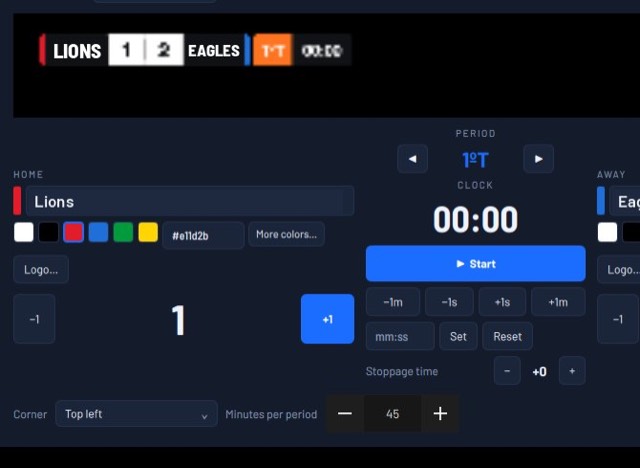
- Titles can read a Google spreadsheet or a JSON, XML or CSV file and update on their own, for team names and scores kept in a table.
- Two stingers with ready-made models or your own video, preferably with transparency, for the transition between the game and the casters.
- A web page, such as the chat of the stream on YouTube, can be an input.
- Replay controlled in a browser, with several angles recording at the same time and a highlights playlist for the break.
- Up to 8 streams on at the same time, each with its own key and quality.
NWK is sold by subscription, with a 7-day free trial. See the pricing page.
Related questions
Can I stream a tournament from the same computer that runs the game?
A single computer can do it in a small online match, but the game and the encoding of the stream compete for the same processor and graphics, and both suffer. For a tournament, use a computer only for the production and bring the game in by capture card or over the local network.
Why do esports streams have a delay?
The delay stops a player from using the stream to see the position or the plan of the opponent in real time. The organizer chooses the length of the delay according to the game. A delayed stream also means that the chat reacts late, which the casters need to know.
Do I need permission to stream a tournament of a commercial game?
It depends on the publisher of the game. Many publishers allow community tournaments under published conditions and require a license above certain limits or for commercial events. Read the tournament and broadcast terms of that game and contact the publisher in case of doubt.
In the NWK help center
- Add an NDI source
- Pull live data into a title
- Use a stinger
- Add a web page
- Stream to several destinations
Written and reviewed by the NWK Live Production team (Setor 360 Tecnologia e Eventos Ltda). Published .
NWK receives NDI sources from other computers, feeds titles from a spreadsheet and streams to up to 8 destinations, in one program for Mac.
Try NWK free for 7 days