Short answer
The waveform monitor is a graph of brightness: the horizontal axis follows the picture from left to right and the vertical axis shows the level, from black at the bottom to white at the top. It is the tool for exposure. The vectorscope is a circular graph of color: the angle shows the hue and the distance from the center shows the saturation. It is the tool for white balance, saturation and skin tones. Use the waveform first and the vectorscope second.
On this page
Why measure instead of looking
A monitor shows the picture with its own brightness and color settings, under the light of the room, to eyes that adapt within seconds to any color cast. Two operators looking at the same screen disagree. The scopes measure the signal itself, and a measurement gives the same answer on any screen. Scopes are what allow two cameras to be matched and a face to be exposed the same way all night.
How to read the waveform
Each column of the waveform corresponds to the same column of the picture. A window on the left of the frame appears as a cluster of points on the left of the graph. The height of the points is the brightness: bottom of the scale is black, top of the scale is white.
- Clipped highlights. The trace is flattened against the top of the scale. The detail in that area is lost and cannot be recovered later. Close the iris or lower the light.
- Crushed blacks. The trace is piled up on the bottom line. Dark clothes and hair become one black mass.
- Faces. Find the cluster that corresponds to the face and keep it at the same height from camera to camera.
The RGB parade is three waveforms side by side, one each for red, green and blue. On a white or gray object the three must reach the same height. If the blue is higher, the picture is bluish; correct the white balance.
How to read the vectorscope
The vectorscope ignores where things are in the picture and how bright they are. It plots only color. White, gray and black fall on the center point. The more saturated a color is, the farther from the center it lands, in the direction of its hue. Small boxes around the circle mark red, magenta, blue, cyan, green and yellow.
- White balance. Point the camera at a white sheet. The blob must be on the center. A blob shifted toward blue or toward yellow shows a color cast.
- Saturation. A trace that passes beyond the boxes is oversaturated and tends to smear after compression.
- Skin. Human skin of any tone falls along the same direction, between the red and the yellow boxes. Many vectorscopes draw a line there. Skin away from that direction looks greenish or magenta.
Which scope answers which question
| Question | Scope |
|---|---|
| Is the picture too bright or too dark, and where? | Waveform |
| Is the white really white? | RGB parade or vectorscope |
| Is the color too strong? | Vectorscope |
| How is the brightness distributed overall? | Histogram, which counts pixels by level without showing where they are |
| Do two cameras match? | Waveform and RGB parade, one camera after the other on the same subject |
The procedure for matching is in matching color between different cameras.
Scopes in NWK Live Production
At the top of Preview or Program, the Scopes menu offers Waveform (luma), RGB parade, Vectorscope and Histogram; No scopes turns them off. The same menu has Zebra, which marks what is clipped (above 95 %), and Mark oversaturated color. See guides, safe areas and scopes.
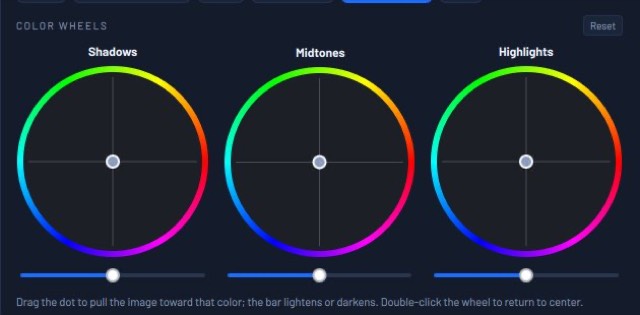
To correct what the scopes show, each input has color wheels for Shadows, Midtones and Highlights. See color wheels and LUT.
Common confusions
- The video waveform is not the audio waveform. The audio waveform is level over time. The video waveform is brightness across the width of the picture.
- A luma waveform does not show color. A strong blue cast can look normal on it. Use the parade or the vectorscope for color.
- The vectorscope does not show exposure. A correctly balanced picture can still be clipped.
- Zebra is not a scope. Zebra draws stripes over the picture where the level passes a limit. It shows where; the waveform shows how much.
Related questions
Which is more important, the waveform or the vectorscope?
The waveform. Exposure errors are the most visible and clipped highlights cannot be recovered. Set exposure with the waveform, then check white balance and saturation with the vectorscope or the RGB parade.
What is the skin tone line on a vectorscope?
It is a line drawn between the red and the yellow targets. Human skin of any tone falls close to that direction, because the color under the skin is the same; what changes is the saturation and the brightness. Skin far from the line indicates a color cast.
What is the difference between a waveform and a histogram?
Both measure brightness. The histogram counts how many pixels are at each level and does not show where they are. The waveform keeps the horizontal position, so you can see which part of the picture is clipped.
In the NWK help center
Written and reviewed by the NWK Live Production team (Setor 360 Tecnologia e Eventos Ltda). Published .
NWK has waveform, RGB parade, vectorscope, histogram and zebra on Preview and Program, and color wheels on each input.
Try NWK free for 7 days