Short answer
A LUT (lookup table) is a table that says, for each color that comes in, which color goes out. Applying a LUT changes the color of the whole picture in one step: a LUT converts the flat picture of a camera into a normal picture, or gives the program a look. A LUT does not analyze the scene. The same table is applied to every frame, so the result is right only when the picture arrives the way the LUT expects.
On this page
How a LUT works: 1D and 3D
A 1D LUT is one curve for each channel: for each input value of red, green or blue there is an output value. A 1D LUT changes brightness, contrast and the tone curve. A 1D LUT cannot make one channel depend on another, so it does not change saturation or move one hue toward another.
A 3D LUT is a cube. Each point of the cube is a combination of red, green and blue with the color that replaces it. A 3D LUT can change hue, saturation and contrast together, and treat a skin tone differently from a blue sky.
The cube does not hold every color. A cube with 33 points on each side holds 33 × 33 × 33 = 35,937 colors, and the colors in between are calculated from the nearest points. LUT files are small text or data files; .cube is a widely used format.
Conversion LUTs and look LUTs
| Kind | What it does | Example |
|---|---|---|
| Conversion (technical) | Takes the picture from one standard to another, with a defined result | From the log profile of a camera to Rec. 709 |
| Look (creative) | Gives a style to a picture that is already normal | Warmer tones, more contrast, a film look |
A conversion LUT is made for one specific camera curve. The LUT of one log profile applied to another profile gives wrong contrast and wrong colors. The standards involved are explained in Rec. 709 and HDR.
LUTs in a live production
- Per camera. A camera that delivers a log picture gets its conversion LUT. A camera that looks different from the others can get a LUT that brings it closer. See how to match the color of the cameras.
- On the output. One look LUT over the whole program gives every camera the same style.
- Order. Set exposure and white balance in the camera first. Then apply the conversion. The look comes last.
LUTs in NWK Live Production
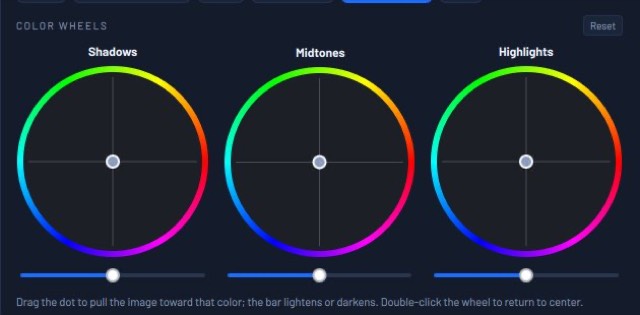
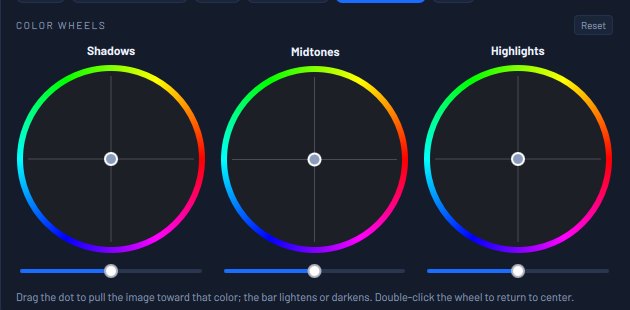
Each input of NWK Live Production has a LUT tab in its settings, opened with the gear on the thumbnail. The tab has a table with the name, the type and what each LUT is for, and a Strength control from 0 to 100%. No LUT leaves the picture as it comes in. This LUT applies only to that input. The same settings have the three color wheels. See color wheels and LUT.
The Master LUT button, at the top of Program, applies a LUT to everything that goes on air: stream, recording and outputs. Titles, scoreboards and images keep their own colors. With a LUT chosen, the button shows its name. See Master LUT. The other color tools of NWK are described in chroma key, color wheels and LUTs per camera.
Common confusions and mistakes
- A LUT is not color correction. A LUT does not fix wrong white balance or exposure. A badly exposed picture through a LUT is still badly exposed.
- A conversion LUT on a picture that is already Rec. 709. The result has crushed blacks, burned highlights and too much saturation.
- Expecting a LUT to match cameras by itself. A LUT applies fixed values. Two cameras with different light still need individual adjustment.
- Strong LUTs on 8-bit pictures can show stripes in gradients. See 8-bit and 10-bit.
Related questions
What is the difference between a 1D LUT and a 3D LUT?
A 1D LUT is a separate curve for each color channel and changes brightness, contrast and tone. A 3D LUT is a cube that maps combinations of red, green and blue to new colors, so it can also change hue and saturation. Camera conversions and looks normally use 3D LUTs.
Can I use a LUT in a live stream?
Yes. In a live production the LUT is applied in real time, to one camera or to the whole program, and the result goes to the stream and to the recording. Because nothing can be changed afterwards, check the picture on a waveform before going on air.
Does a LUT reduce picture quality?
A LUT does not add or recover information; it only moves colors. A moderate LUT on a well exposed picture causes no visible loss. A strong LUT stretches the levels and can show banding or noise, mainly on 8-bit sources.
In the NWK help center
Written and reviewed by the NWK Live Production team (Setor 360 Tecnologia e Eventos Ltda). Published .
NWK has a LUT with a Strength control on each input and a Master LUT for everything that goes on air.
Try NWK free for 7 days