
Short answer
A music venue that streams its shows needs a mix made for the stream, different from the mix of the room, two or three cameras installed in fixed positions and an agreement with each artist about the stream and the recording. Take the channels or a separate output from the mixing console, add two microphones for the audience and listen to the stream on headphones, away from the sound of the room. Check the music licensing rules of your country before the first show.
On this page
What is hard about streaming from a venue
- The mix of the room is not the mix of the stream. In a small room, the audience hears drums and guitar amplifiers directly from the stage, so the sound engineer puts little of those instruments in the speakers. The stream that receives the same mix gets a loud voice and almost no drums.
- A different band every night. There is no rehearsal with the cameras. The operator learns the songs while the songs are played.
- Dark stage, changing light. Stage lighting changes color and intensity all the time, and a camera on automatic exposure changes with the light.
- Loud sound. The camera microphone distorts at stage volume, and the operator cannot judge the mix of the stream while standing in the room.
- Each artist decides differently. One artist wants the whole show online, another allows two songs, another allows nothing.
Three ways to get the sound
| Source | Result | When to use |
|---|---|---|
| The main mix of the console | Unbalanced in small rooms: voices loud, stage instruments low | Only in large rooms, where everything goes through the speakers |
| A separate output of the console for the stream, plus audience microphones | A mix made for whoever listens at home, by the sound engineer | When the console has a free output and the engineer has a moment to adjust the output |
| The individual channels of the console into the production computer | A mix made by a second person, only for the stream, and a multitrack recording | When the venue streams often and has someone for the sound of the stream |
In all three cases, add two microphones pointed at the audience. Without the audience, a show sounds like a rehearsal. How to connect the console to the computer is in connect the mixing console to the computer. Whoever mixes the stream needs closed headphones and, if possible, a place outside the room.
A fixed camera kit
Install the cameras once and leave the cables in place: a wide camera at the back or next to the sound booth, a closer camera on the singer and, if the stage allows, a camera at the side of the stage that shows the hands of the musicians. With fixed positions, the operator arrives, turns on and adjusts the framing for the band of the night.
- Set exposure and white balance to manual, with the stage lighting on.
- Ask the lighting operator to keep some front light on the faces. Stage light that comes only from behind makes silhouettes.
- Cut with the music: change the shot at the start of a phrase, stay on the soloist during the solo.
The camera plan for a show with several cameras is in concerts and musical performances with several cameras.
Music rights and image rights
Streaming a show involves the rights of the composers, of the performers and of the recording, and the license that a venue pays for the music played in the room does not necessarily cover the internet. Streaming platforms identify music automatically and can mute, block or take down the stream. Ask the collecting society of your country what the venue needs, and put in the contract with each artist whether the show can be streamed, recorded, kept online and for how long. Tell the audience at the entrance that the show is being filmed. This page is not legal advice.
What NWK has for a venue
NWK Live Production is a live production program for Mac with Apple Silicon. These features answer the difficulties above.
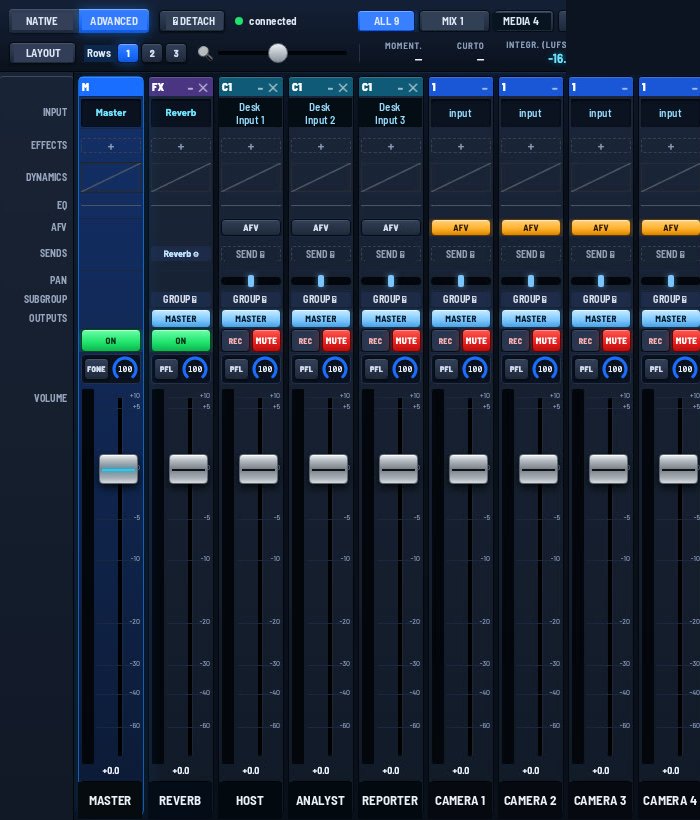
- A mix for the stream: the mixer has equalizer, gate, compressor and limiter on each channel, and builds one channel for each input of the audio interface in one step.
- A second person on the sound: the audio operator mixes in a browser, on another computer, tablet or phone, with a PIN.
- Loudness: the Master has a loudness meter in LUFS. The targets are in get the loudness right for the platforms.
- Multitrack: each mixer channel is recorded to its own WAV file, at 48 kHz, in 24-bit or 32-bit float, all aligned, to mix after the show.
- Every angle: the MultiCorder records the clean picture of each camera to its own file.
NWK is sold by subscription, with a 7-day free trial. See the pricing page.
Related questions
Why does the sound from the mixing console sound bad on the stream?
The mix of the console is made to complete what the audience already hears from the stage. In a small room, drums and amplifiers are loud by themselves, so the console sends little of them to the speakers. The stream only receives the console, so those instruments almost disappear. Use a separate output or mix the channels again for the stream.
Can a venue stream shows with just one person?
Yes, with fixed cameras and the sound coming ready from the console. One person can cut among three fixed cameras and watch the stream. One person cannot also mix a band, so in this case the mix of the stream has to be an output adjusted by the sound engineer of the venue.
Will the platform block the stream because of the music?
The platform can mute, block or take down a stream with music the platform identifies, including songs the band plays as covers. The rules change by platform and by country. Read the music policy of the platform, ask the collecting society of your country and agree with the artist before the show.
In the NWK help center
- Build the mixer from the audio interface
- Audio operator in the browser
- Record each channel to a separate file
- Measure loudness in LUFS
- Record each camera to a separate file
Written and reviewed by the NWK Live Production team (Setor 360 Tecnologia e Eventos Ltda). Published .
NWK has a mixer with processing on each channel, an audio operator in the browser and multitrack recording, in one program for Mac.
Try NWK free for 7 days