NWK launch
promotion.All 1,000 spots are gone.
Half the list price for the first 1,000 subscribers, in any country, from November 8 to 30, 2026.
—spots open
of 1,000
Subscriptions continue at list price.
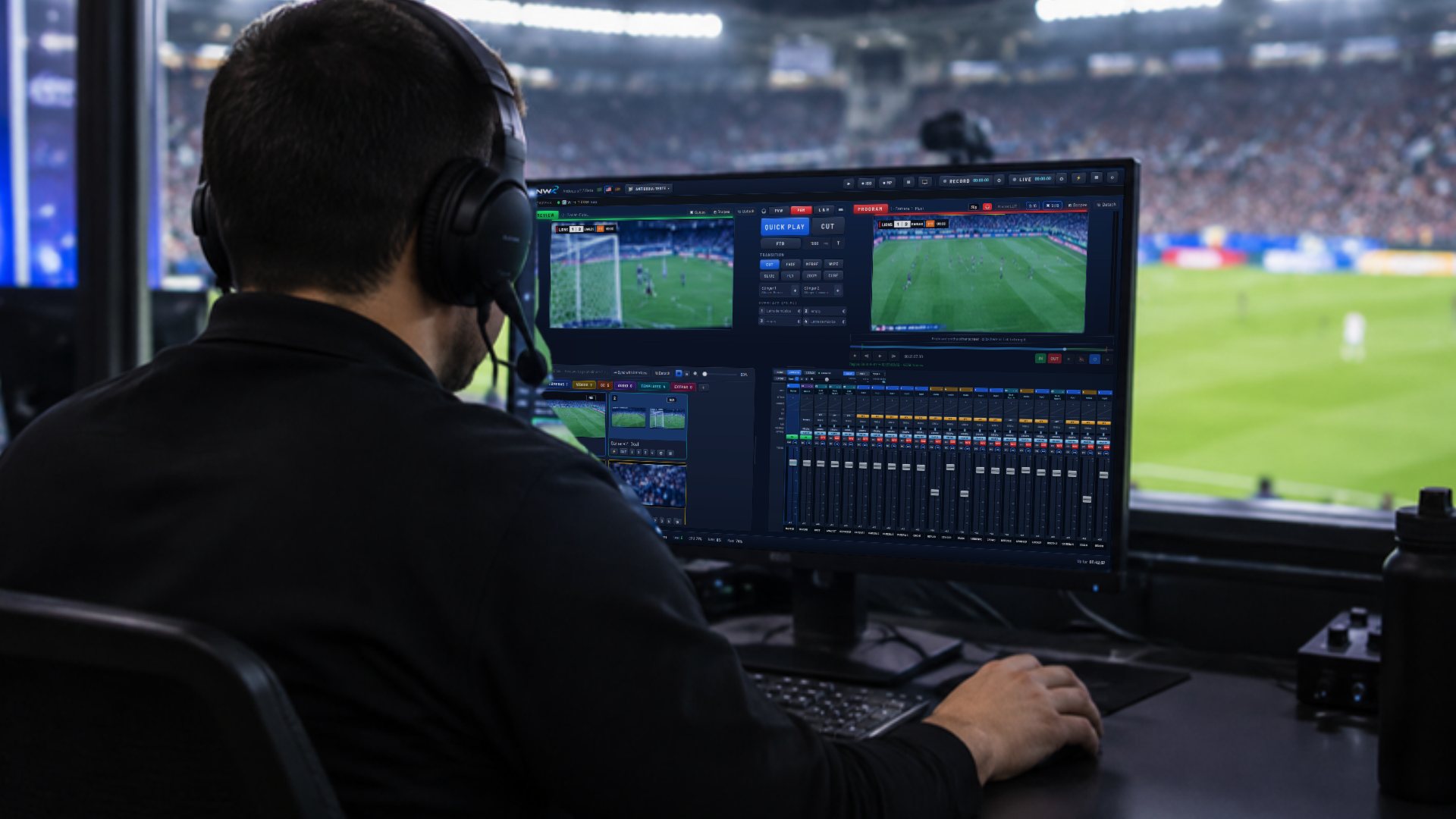
Before the price, see what you get.
A whole control room in one program. No more stitching four apps together and hoping they talk to each other.
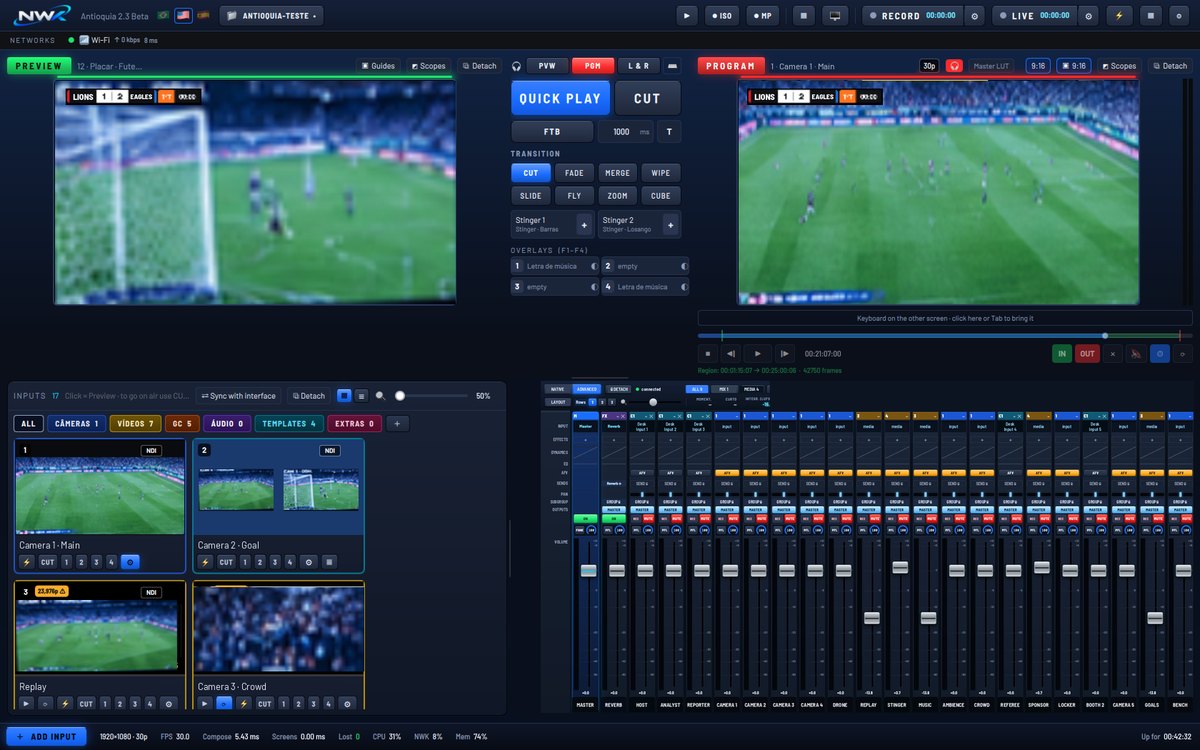
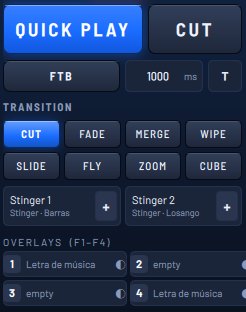
Switch like on a real console.
Set up the next camera in Preview and take it to air with a cut, a transition or Quick Play.
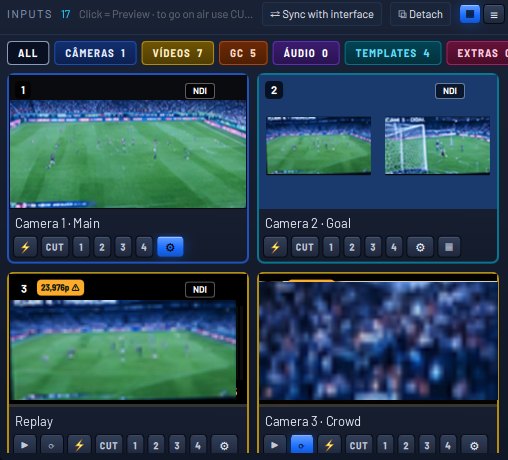
- Preview and Program side by side
- CUT, transitions and Quick Play
- Two stingers and four overlays
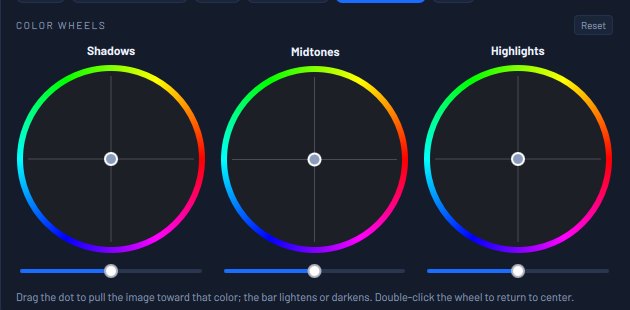
- Color wheels and LUT per camera
- Inputs organized by category
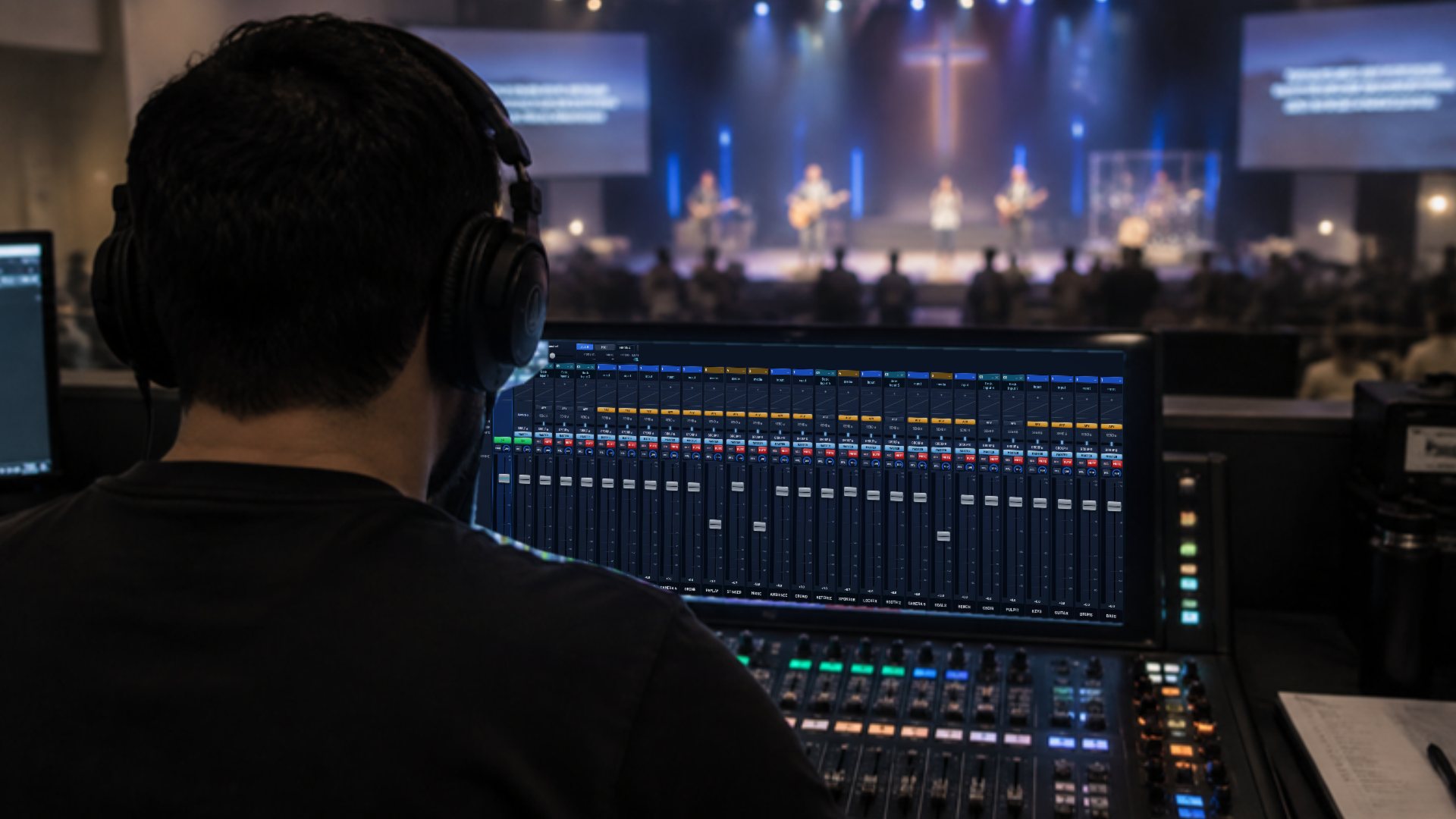
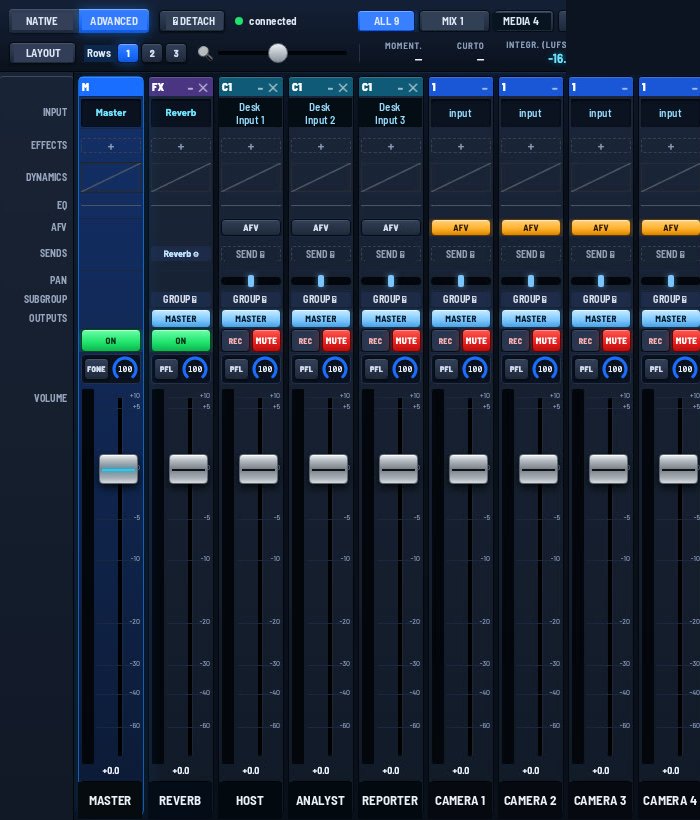
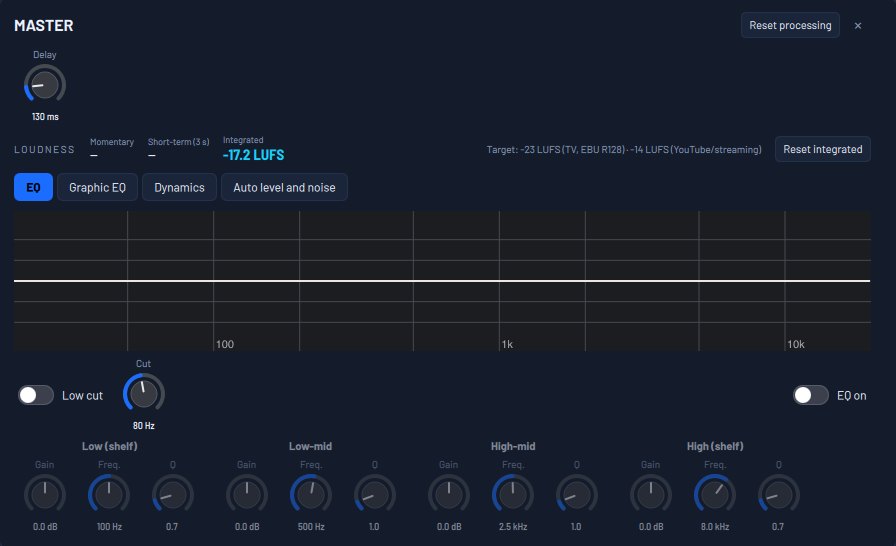
A complete sound console, inside the program.
Every channel, treated like on a large console.
And the audio operator works from a tablet, in the browser.
- Equalizer, gate, compressor and limiter
- Automatic level and noise reduction
- Echo cancellation for guests
- Effects and Audio Unit plug-ins
- Monitor outputs
- Loudness in LUFS
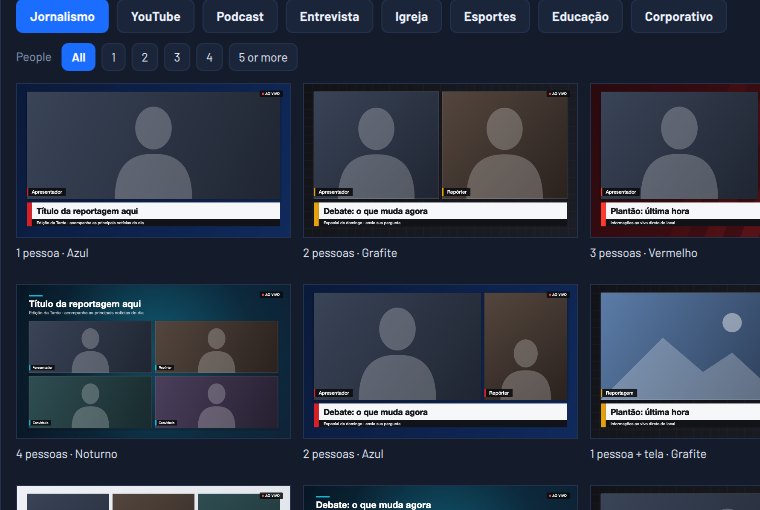
Ready-made graphics, in your colors.
Templates for the whole event. Change the colors and text and put them on air.
- News, church and sports
- Podcast, education and corporate
- Titles and lower thirds
- In your event’s colors and words
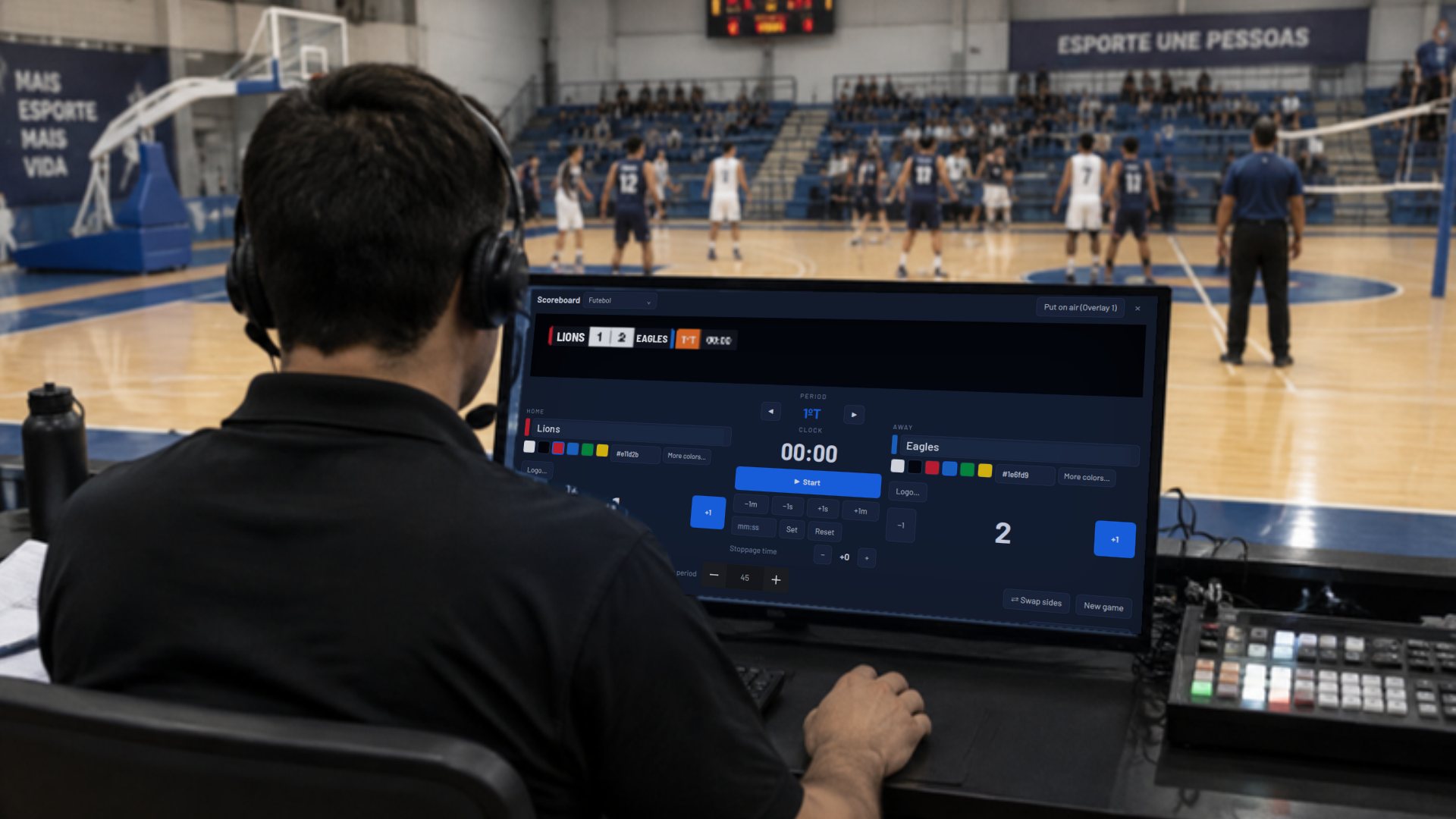
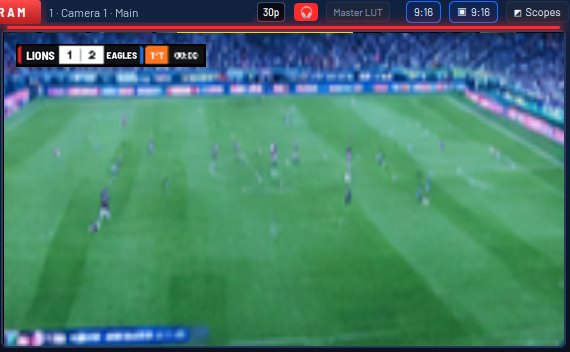
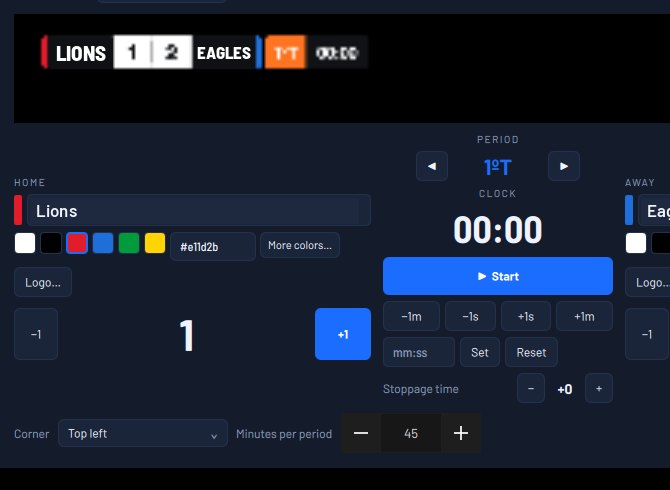
The whole game on screen, with no other program.
Scoreboard with clock, periods and stoppage time, run from the keyboard or a tablet.
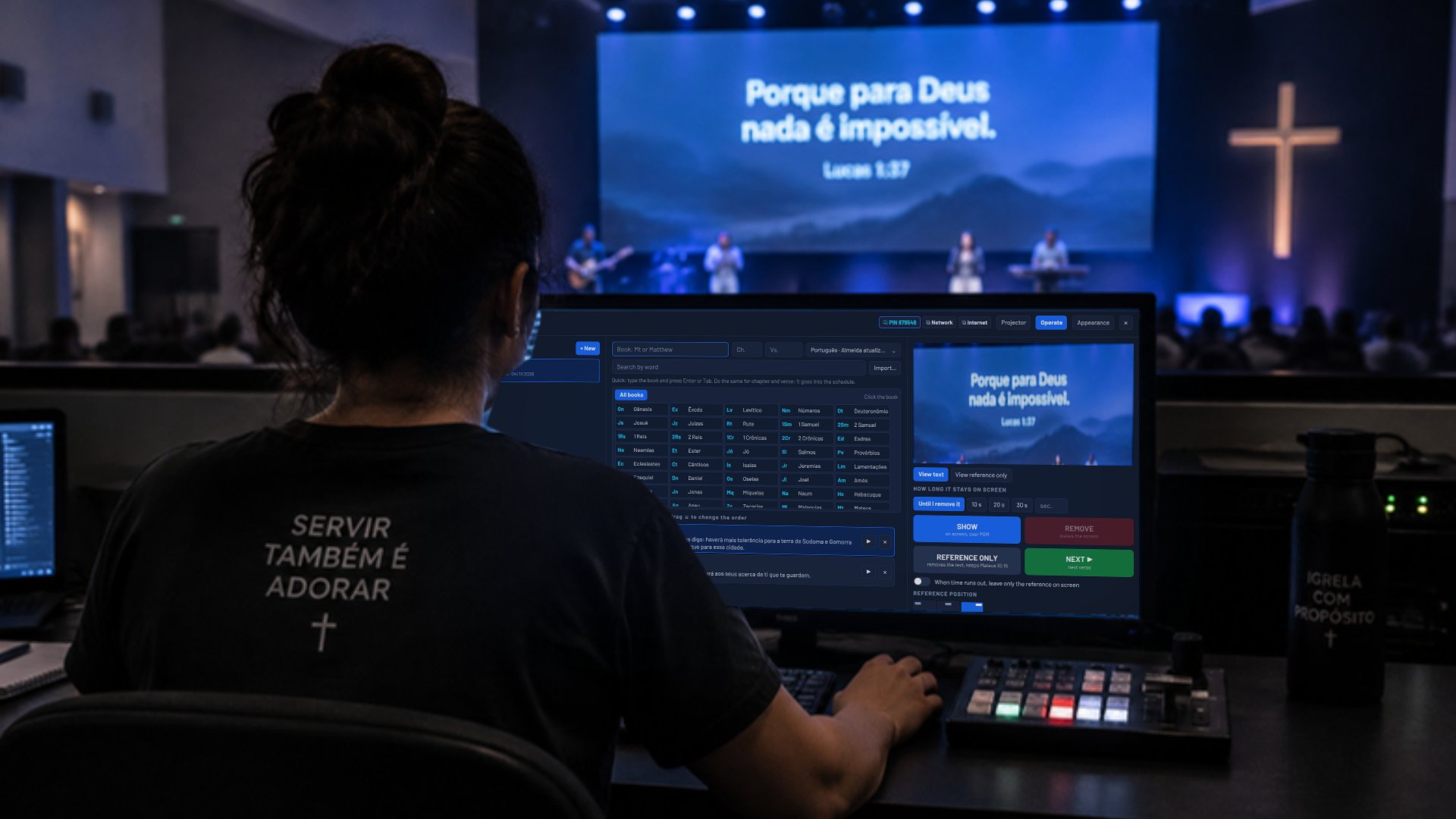
The right verse, at the right moment.
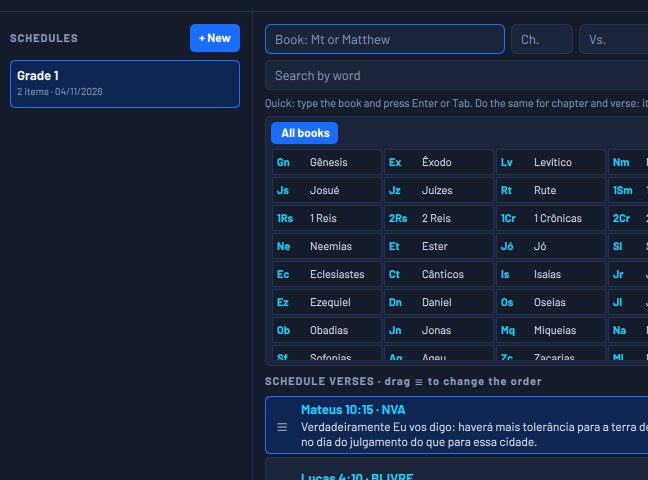
Bible and lyrics run from the back of the church, on a tablet or phone.
- Search by book, chapter or word
- Service order ready before you start
- Verse over Program, with the reference
- Song lyrics in slides
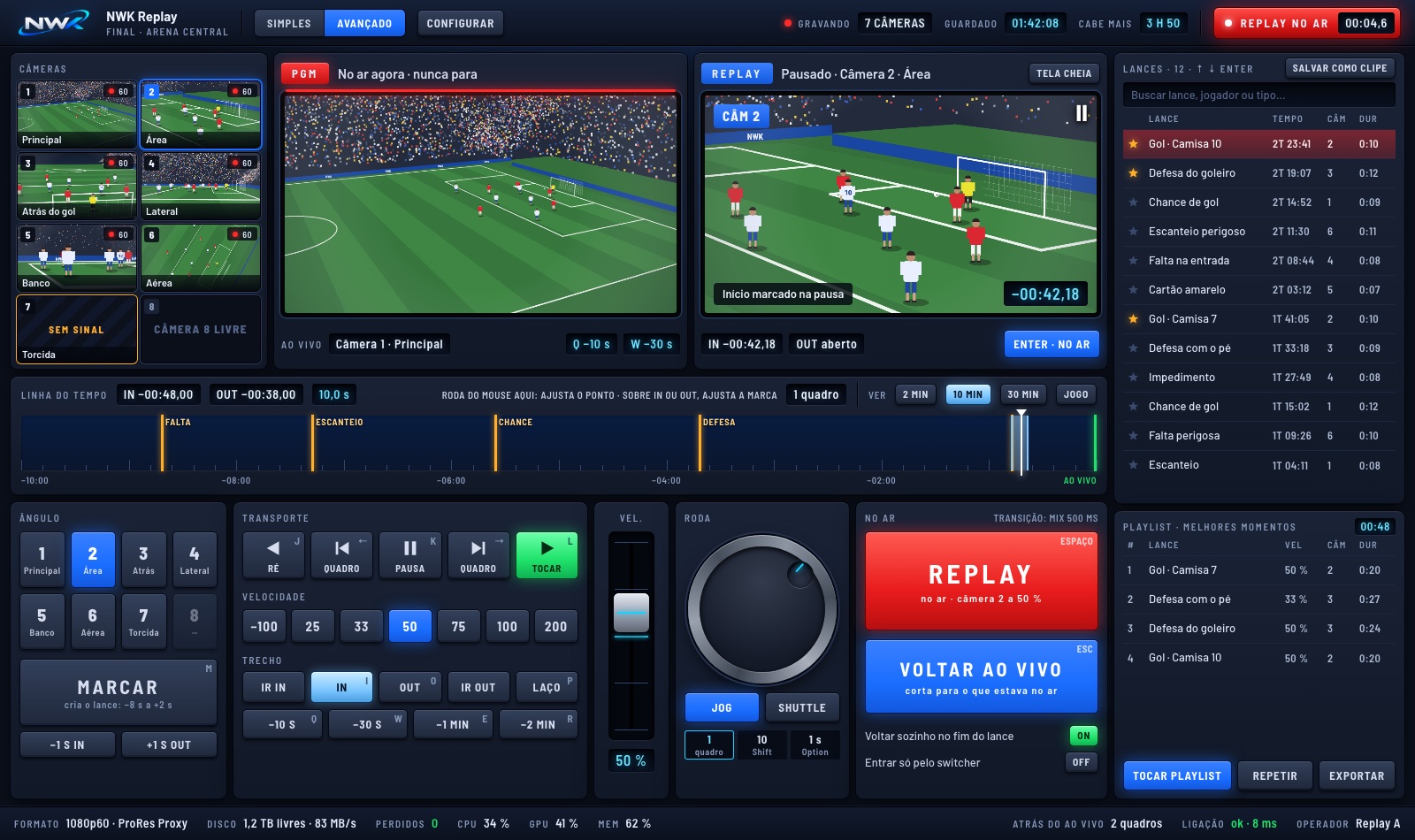
Sports replay, with one person.
Live never stops. One screen shows what’s on air, the other the play you’re editing. All in the browser, with its own PIN.
- Several angles recording at once
- Speed from 25% to 200%, with slow motion
- Plays marked with one key
- Highlights playlist for halftime
- Same shortcuts as Preview
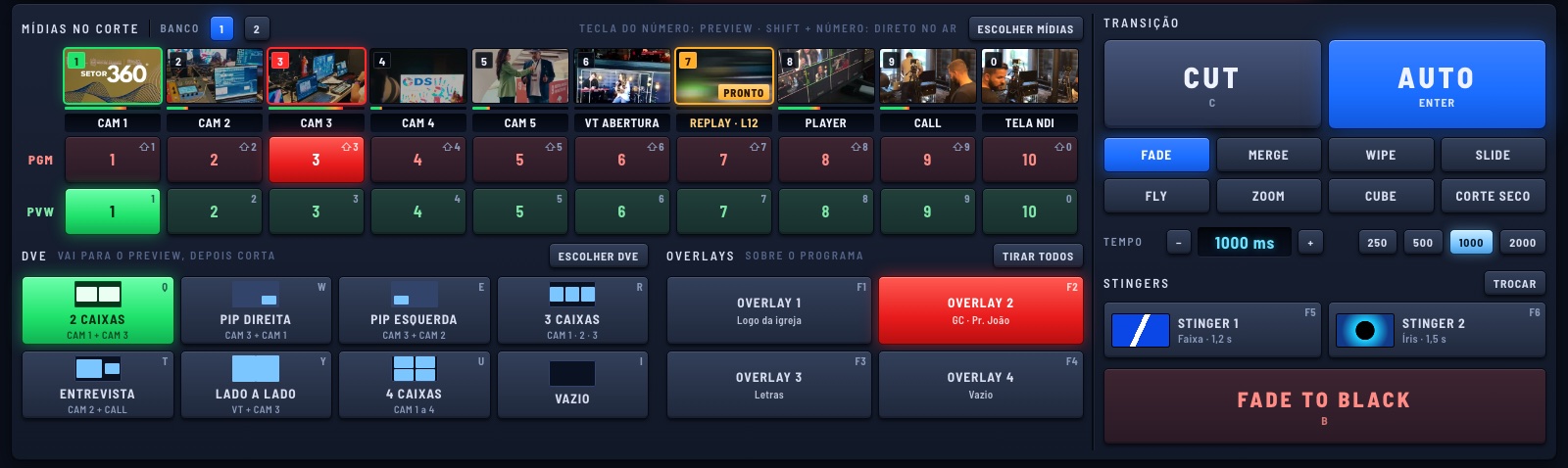
A switcher in your browser.
The director cuts the shots and calls what goes to air, from another machine, with nothing but the switcher on screen.
- Media bank with PGM and PVW
- CUT, AUTO and transition effects
- Overlays, stingers and Fade to Black
- Replay only goes on when the director says so
Everyone at their post. On any screen.
Nothing to install: operators open it in the browser of a computer, tablet or phone, with their own PIN, over the network or the internet.
Your channel on air 24 hours a day.
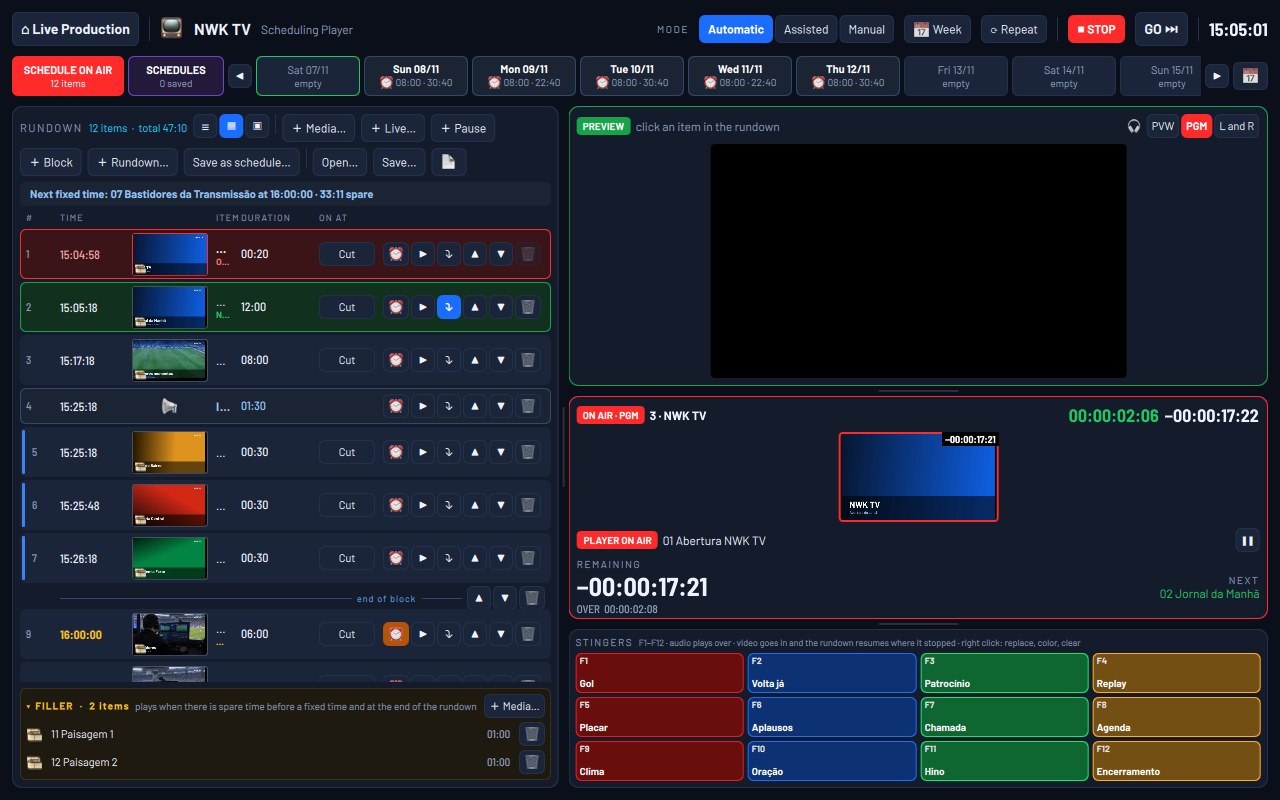
Build the schedule and let NWK play it like a station. Tomorrow’s schedule gets built while today’s is on air.
- Automatic, Assisted or Manual
- Fixed times, no gaps in the schedule
- Filler when there’s time left
- The whole week scheduled
- Bumpers on F1 to F12
Record everything, separately.
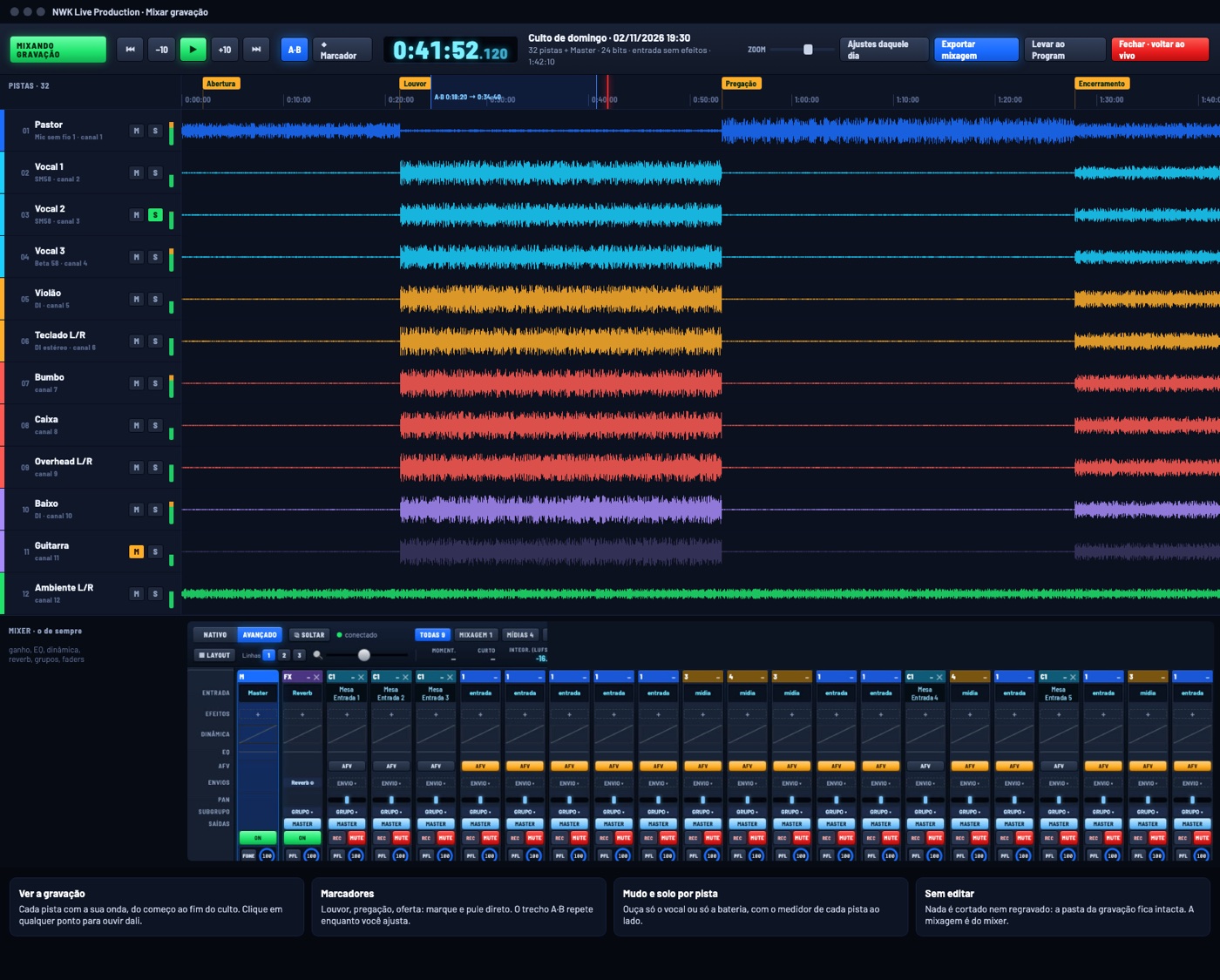
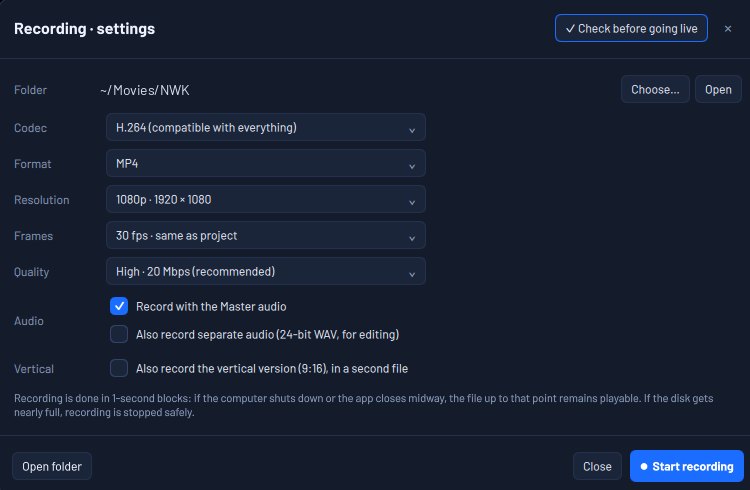
If the computer shuts down, what’s been recorded stays. And mixing after the event is included, at no extra cost.
- Each camera in its own file
- Each channel in a 32-bit WAV
- Recorded in blocks: what’s recorded stays
- Multitrack mixing included
Up to 8 destinations. Up to 4 internet links.
If one network drops, the destination reconnects through another in seconds, on its own.
- Several destinations at once
- 16:9 and 9:16 together
- Ethernet, Wi-Fi and 4G at once
- RTMP and SRT
- Check before going on air
YouTubeFacebookInstagram 9:16TikTok 9:16SRT
Stream went down in the middle of the service, the game, the graduation?
Here, what fails comes back on its own. And the air doesn’t stop.
If the window closes, the stream and the recording keep going. If any part stops, NWK comes back in seconds, with the session, cameras and streams just as they were.
All of this, in one program.
- Preview and Program
- Quick Play
- Transitions and stingers
- Overlays
- Color wheels and LUT
- Inputs by category
- Full mixer
- EQ and dynamics
- Effects and plug-ins
- Loudness in LUFS
- Templates
- Scoreboard
- Bible
- Song lyrics
- Operators in the browser
- Replay
- DTV
- Scheduling player
- Per-camera recording
- 32-bit multitrack audio
- Multitrack mixing
- Up to 8 streams
- Vertical 9:16
- Up to 4 internet links
- RTMP and SRT
- Guest by link
- NDI
- Stream Deck over USB
- Bitfocus Companion
- Virtual microphone
- Projects from other programs
- Automatic recovery
All of this for justAll of this, at list price
US$ 20a month
Half the list price for the first 1,000 subscribers, in any country, from November 8 to 30, 2026.
—spots open
of 1,000
Subscribe now and keep this price for as long as you renew. For Macs with Apple Silicon; the Windows version is coming soon.
Offer from November 8 to 30, 2026, limited to the first 1,000 subscriptions. The list price of US$ 40 a month or US$ 200 a year is what applies once the 1,000 spots are gone. Prices in US dollars, with automatic renewal; taxes for your country are shown at checkout. Payment processed by Paddle. All features on both plans.